> ## Documentation Index
> Fetch the complete documentation index at: https://documentation.onesignal.com/llms.txt
> Use this file to discover all available pages before exploring further.
# Google Analytics for Firebase
> OneSignal will automatically send notification events to your analytics dashboard if Google Analytics for Firebase is correctly implemented. Works with iOS and Android.
[Google Analytics for Firebase](https://firebase.google.com/products/analytics) is an event-tracking tool provided for free by Google Firebase. It allows you to easily track events within your app and analyze them later using various filters.
This integration does not support UTM parameters to the launch URL.
On Web, the GA code will capture the values based on URL in the browser.
On Mobile, you will need to capture these values and pass to GA. Our Notification Opened Event Handler can be used to get the notification payload.
## Events
The OneSignal SDK tracks events that pertain to notification open & receive events. The following events are sent:
| Event Name | Details |
| -------------------------------- | ----------------------------------------------------------------------------------------------------------------------------------------- |
| `os_notification_opened` | A OneSignal notification was opened |
| `os_notification_received` | A OneSignal notification was received. (**Android Only**) |
| `os_notification_influence_open` | An application was opened within 2 minutes of a OneSignal notification being received. ([iOS requires additional setup](./ios-sdk-setup)) |
The OneSignal SDK also sends parameters which contain more info about the particular notification the event is attributed to:
| Parameter Name | Parameter Value | Details |
| ----------------- | ------------------------------------------------------------------------------------------------------------------------------------------------------------------ | -------------------------------------------------------------------------------------------------------------------- |
| `source` | "OneSignal" | To attribute this event's source to the OneSignal SDK |
| `medium` | "notification" | A formal indication that the medium for the event is a notification |
| `notification_id` | the `notification_id` from a particular OneSignal notification | You can attribute a notification ID to a particular "sent" notification on the dashboard |
| `campaign` | If using a template:`[template_name]-[template_id]` If not: First 10 letters of the `headings` [API property](/reference/push-notification) or notification Title. | Campaigns are a way to group notifications that are similar, such as notifications using the same template or title. |
***
## Setup OneSignal events integration with Google Analytics for Firebase
### Setup Firebase
Follow the [Firebase integration documentation](https://firebase.google.com/docs/android/setup) and verify that Firebase is correctly functioning inside your application.
### Enable Firebase in OneSignal
Navigate to **Data > Integrations** and enable **"Firebase"**.
This will begin sending event data to Firebase. If you wish to track influenced opens on iOS, you will need to perform some [additional setup](./ios-sdk-setup) due to limitations in Firebase.
 ### Verify OneSignal events
Verify that Firebase is attempting to send events related to OneSignal notifications
Check in your application's LogCat logs and look for Google Analytics for Firebase entries that indicate events corresponding to OneSignal are being sent. Look for `os_notification_opened`,`os_notification_received`, or `os_notification_influence_open`
### Verify OneSignal events
Verify that Firebase is attempting to send events related to OneSignal notifications
Check in your application's LogCat logs and look for Google Analytics for Firebase entries that indicate events corresponding to OneSignal are being sent. Look for `os_notification_opened`,`os_notification_received`, or `os_notification_influence_open`
 Go to the [Firebase Console](https://console.firebase.google.com/) for your project
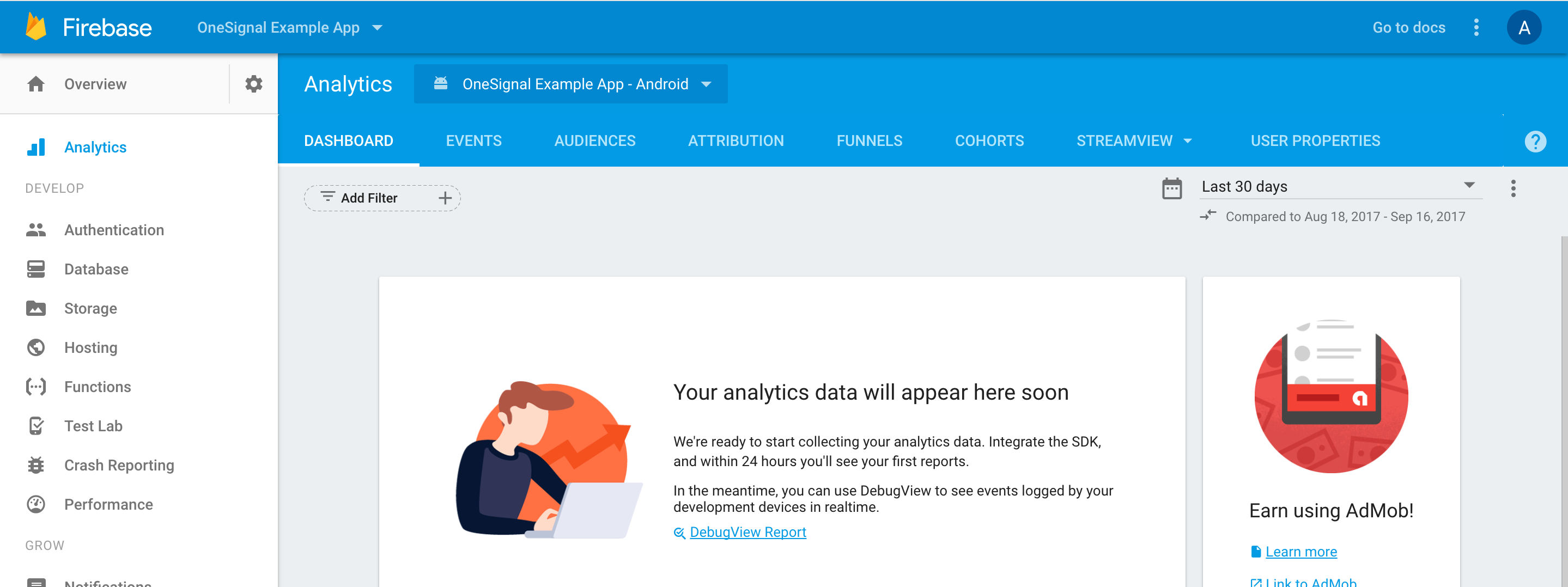 Follow the [DebugView Setup Guide](https://firebase.google.com/docs/analytics/debugview)
The DebugView allows ADB to send Firebase events to your project when it's in `debug` mode. Here is a great video on this for iOS: [https://youtu.be/kpkW78OSbiw?t=289](https://youtu.be/kpkW78OSbiw?t=289)
Example Debug Logs
```text Xcode logs example theme={null}
2021-09-22 14:58:20.731918-0700 OneSignalDemo[33301:1350721] 7.0.0 - [Firebase/Analytics][I-ACS023073] Debug mode is enabled. Marking event as debug and real-time. Event name, parameters: os_notification_opened, {
campaign = Firebase t;
ga_debug (_dbg) = 1;
ga_event_origin (_o) = app;
ga_realtime (_r) = 1;
medium = notification;
notification_id = 2ecdd9bf-b2c0-443e-b5b2-7983d453c746;
source = OneSignal;
}
2021-09-22 14:58:20.749723-0700 OneSignalDemo[33301:1350721] 7.0.0 - [Firebase/Analytics][I-ACS023072] Event logged. Event name, event params: os_notification_opened, {
campaign = Firebase t;
ga_debug (_dbg) = 1;
ga_event_origin (_o) = app;
ga_realtime (_r) = 1;
medium = notification;
notification_id = 2ecdd9bf-b2c0-443e-b5b2-7983d453c746;
source = OneSignal;
}
```
As OneSignal events propagate, they will appear in real-time on the DebugView
Follow the [DebugView Setup Guide](https://firebase.google.com/docs/analytics/debugview)
The DebugView allows ADB to send Firebase events to your project when it's in `debug` mode. Here is a great video on this for iOS: [https://youtu.be/kpkW78OSbiw?t=289](https://youtu.be/kpkW78OSbiw?t=289)
Example Debug Logs
```text Xcode logs example theme={null}
2021-09-22 14:58:20.731918-0700 OneSignalDemo[33301:1350721] 7.0.0 - [Firebase/Analytics][I-ACS023073] Debug mode is enabled. Marking event as debug and real-time. Event name, parameters: os_notification_opened, {
campaign = Firebase t;
ga_debug (_dbg) = 1;
ga_event_origin (_o) = app;
ga_realtime (_r) = 1;
medium = notification;
notification_id = 2ecdd9bf-b2c0-443e-b5b2-7983d453c746;
source = OneSignal;
}
2021-09-22 14:58:20.749723-0700 OneSignalDemo[33301:1350721] 7.0.0 - [Firebase/Analytics][I-ACS023072] Event logged. Event name, event params: os_notification_opened, {
campaign = Firebase t;
ga_debug (_dbg) = 1;
ga_event_origin (_o) = app;
ga_realtime (_r) = 1;
medium = notification;
notification_id = 2ecdd9bf-b2c0-443e-b5b2-7983d453c746;
source = OneSignal;
}
```
As OneSignal events propagate, they will appear in real-time on the DebugView
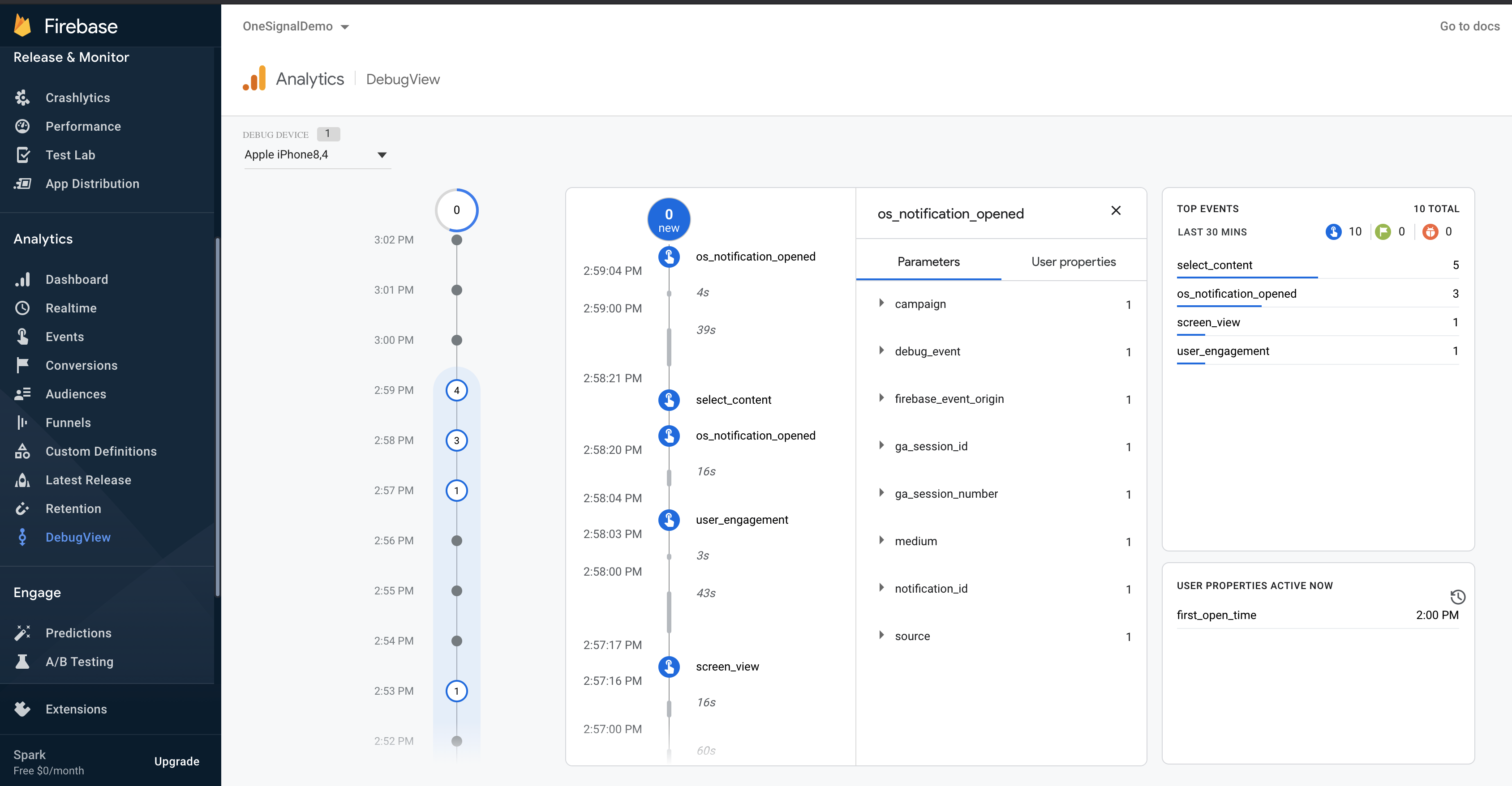 **Your application has been verified to track OneSignal notification events through Google Analytics for Firebase!**
***
## FAQ
### Why are the clicked and opened events not showing in Firebase?
The Firebase click event `os_notification_opened` and received event `os_notification_received` may not work if the Firebase library has not initialized in time so the Firebase library drops the event. More details on [this github issue](https://github.com/OneSignal/OneSignal-Android-SDK/issues/949).
Link your Firebase Database and use Firebase Cloud Functions with OneSignal following our [Firebase Setup Tutorial](./google-analytics-for-firebase).
***
**Your application has been verified to track OneSignal notification events through Google Analytics for Firebase!**
***
## FAQ
### Why are the clicked and opened events not showing in Firebase?
The Firebase click event `os_notification_opened` and received event `os_notification_received` may not work if the Firebase library has not initialized in time so the Firebase library drops the event. More details on [this github issue](https://github.com/OneSignal/OneSignal-Android-SDK/issues/949).
Link your Firebase Database and use Firebase Cloud Functions with OneSignal following our [Firebase Setup Tutorial](./google-analytics-for-firebase).
***