> ## Documentation Index
> Fetch the complete documentation index at: https://documentation.onesignal.com/llms.txt
> Use this file to discover all available pages before exploring further.
# Multi-language messaging
> Send personalized messages in multiple languages across push, email, and in-app messaging using OneSignal's dashboard or API.
This guide explains how to set a user's language in OneSignal and send messages in their preferred language across push notifications, emails, and in-app messages.
## Set user's language
OneSignal automatically sets the `language` property from the device’s language when a user is first created using the web or mobile SDKs.
You can also manually set or update the user's language using the [ISO 639-1](#supported-languages) 2-letter language code with:
1. The SDK’s `setLanguage` method.
2. The `language` field in the [Create user](/reference/create-user) or [Update user](/reference/update-user) APIs.
3. The `language` column in the [CSV Importer](./import).
See [Supported languages](#supported-languages) for a list of valid language codes.
***
## Send messages in different languages
Use tabs below to view localization options by messaging channel.
### Dashboard sending
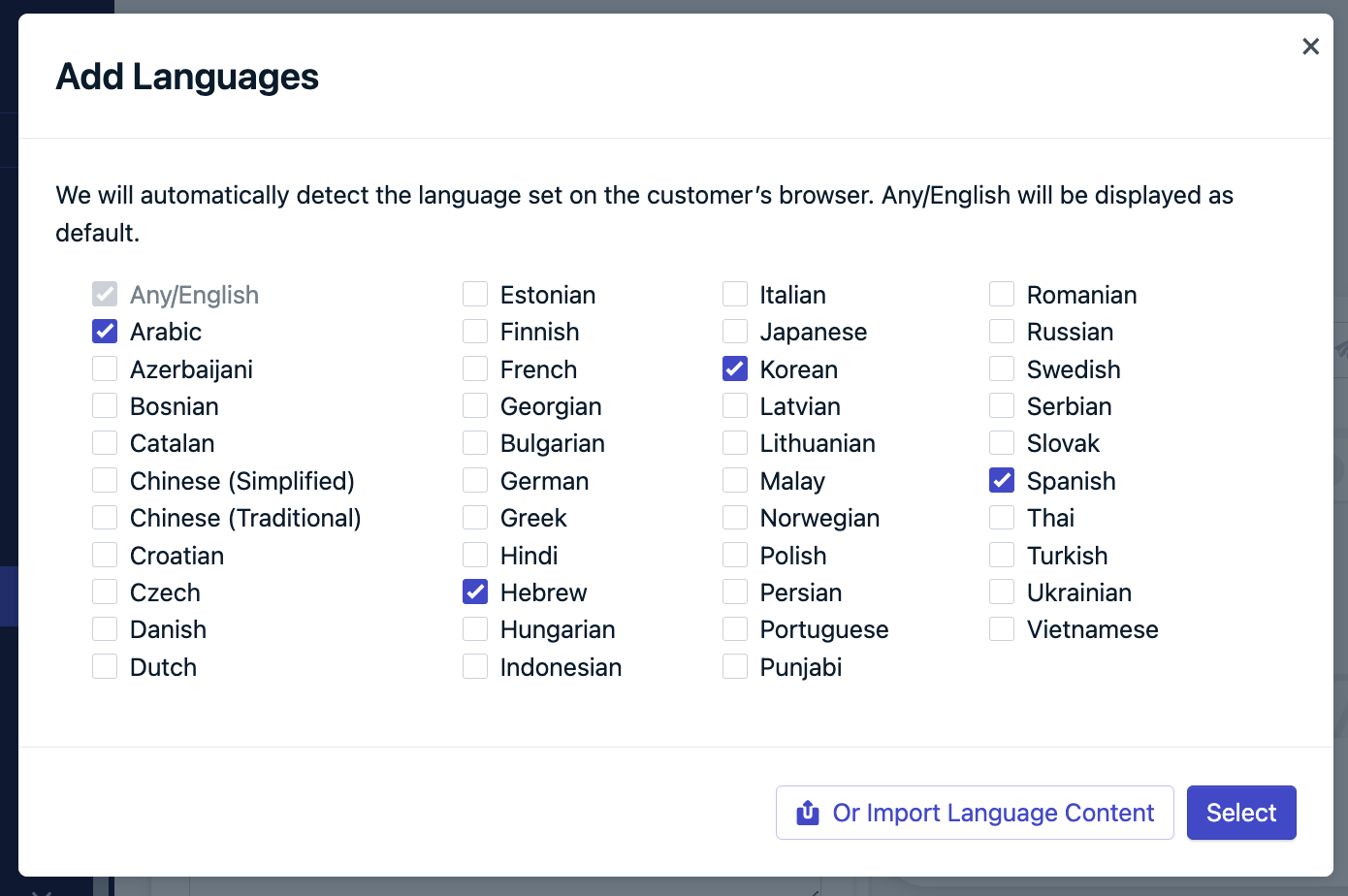
From **Messages > Push > New Message** or [Templates](./templates), click **Add Languages**. Choose from:
#### Option 1: Checkboxes
Select languages you support. Any language not selected will fall back to Any/English.
 #### Option 2: Import language content
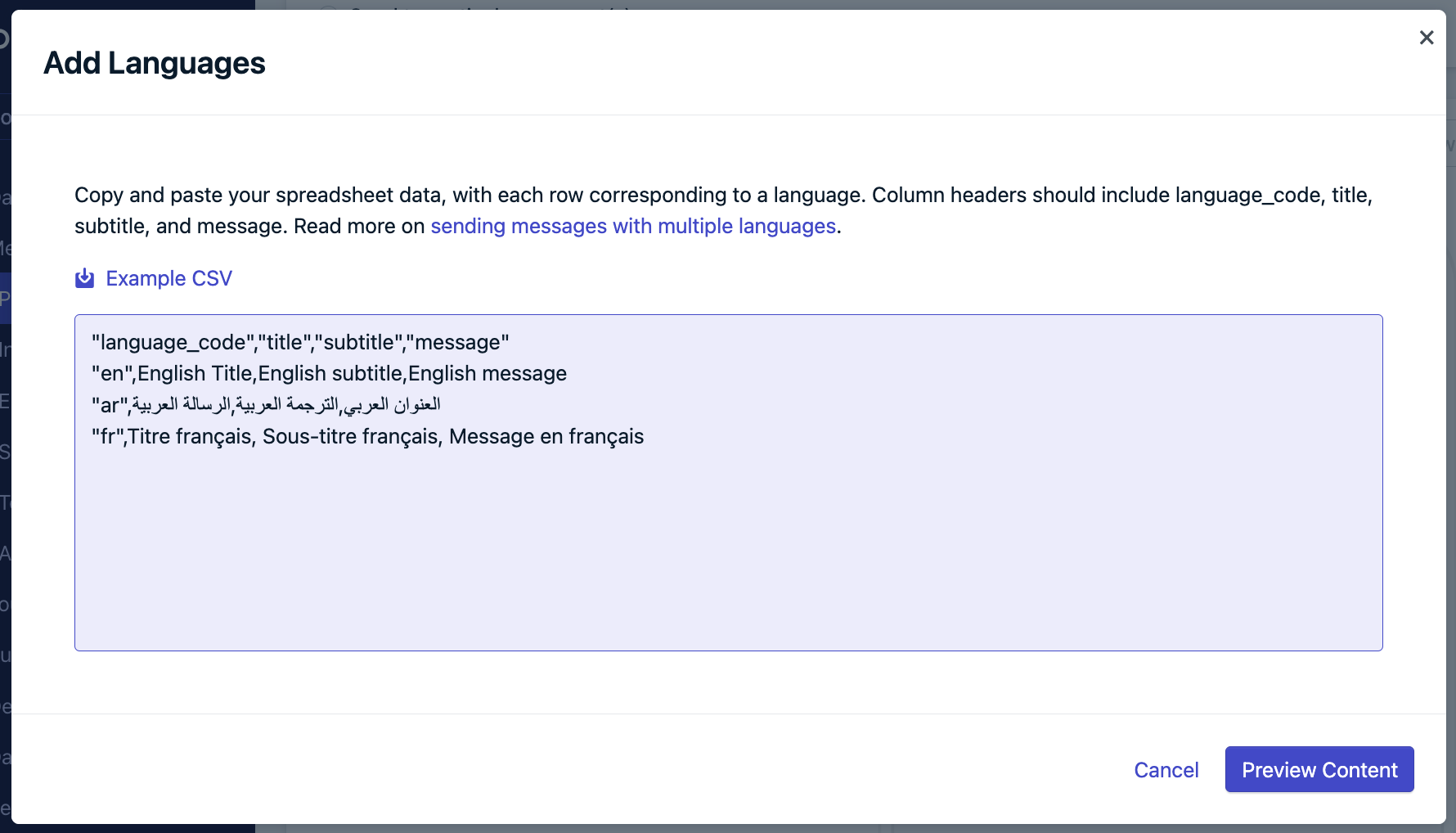
Use the provided template to format the message in each language.
#### Option 2: Import language content
Use the provided template to format the message in each language.
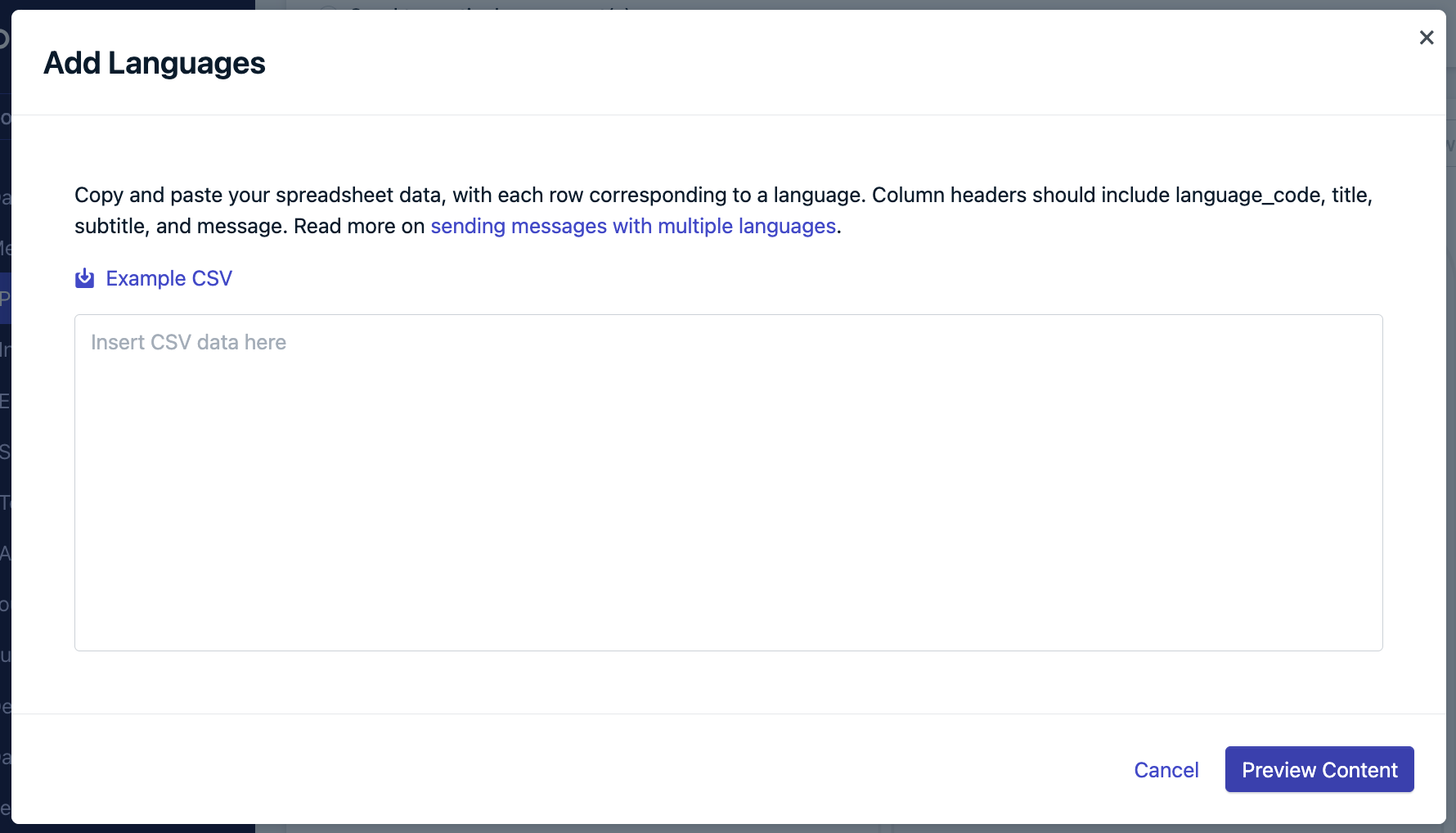 Copy and paste the content back into the "Add Languages" field.
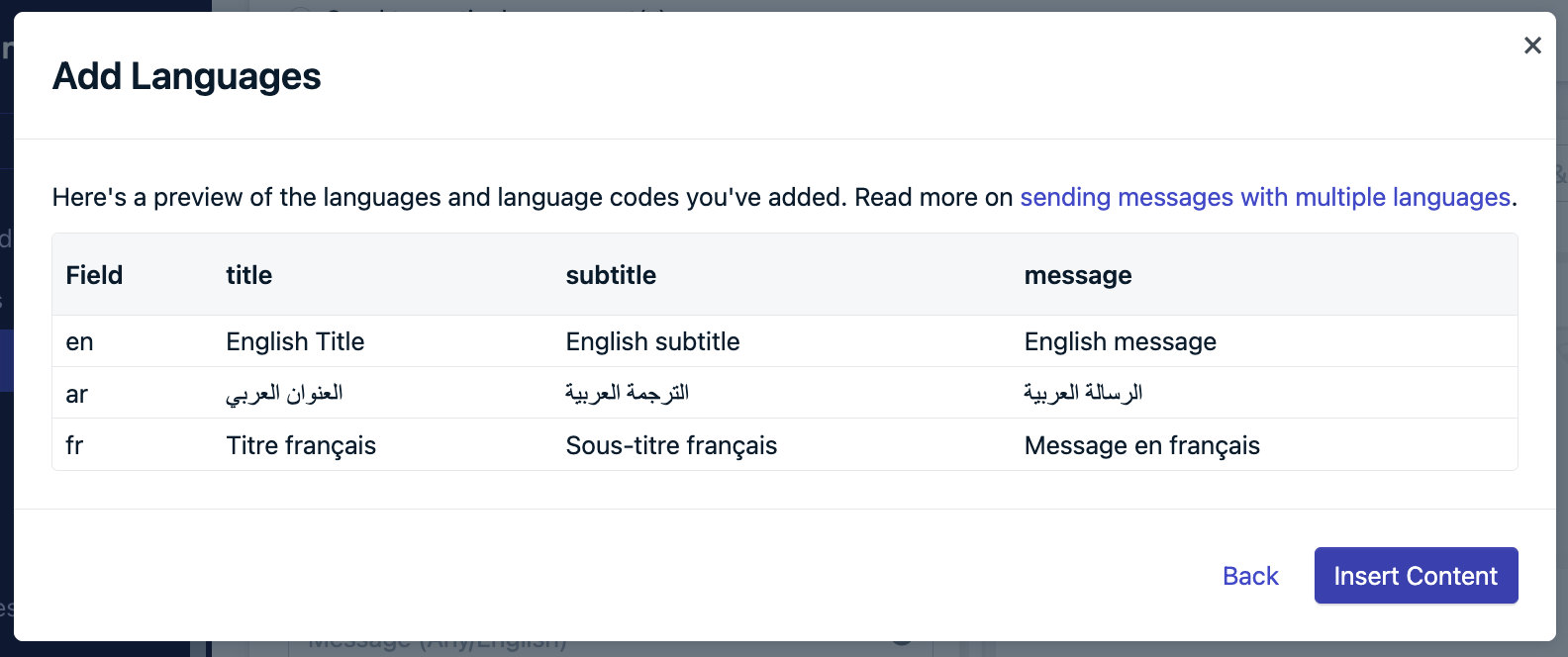
 Preview content to double-check, insert content, and new tabs will appear in the editor with the designated content filled out.
 #### Option 3: Dynamic Content
Use [Dynamic Content](./dynamic-content) which involves creating and uploading a CSV file with the languages you support.
#### Troubleshooting
* **English required**: Include a row for `en` as default.
* **Use correct headers**: `language_code`, `title`, `subtitle`, `message`
* **Comma-separated values**: Ensure proper CSV formatting.
* **Unsupported language**: If not listed in the UI or template, it’s not supported. Use the next best option and contact `support@onesignal.com`.
The dashboard editor uses a standard HTML field. Special characters like `%` may cause display issues in RTL languages. Add [RLM marks](https://en.wikipedia.org/wiki/Right-to-left_mark) after such characters to fix formatting problems.
***
### API sending
The `contents` and `headings` fields support multiple languages:
```json theme={null}
{
"contents": {
"en": "English content",
"fr": "French content"
},
"headings": {
"en": "English heading",
"fr": "French heading"
}
}
```
### Dashboard sending
From **Messages > Email > New Message** or [Templates](./templates), choose from:
#### Option 1: Segments
1. Create a segment for each language.
2. Create a template per language.
3. Send each to its corresponding segment.
#### Option 2: Liquid syntax
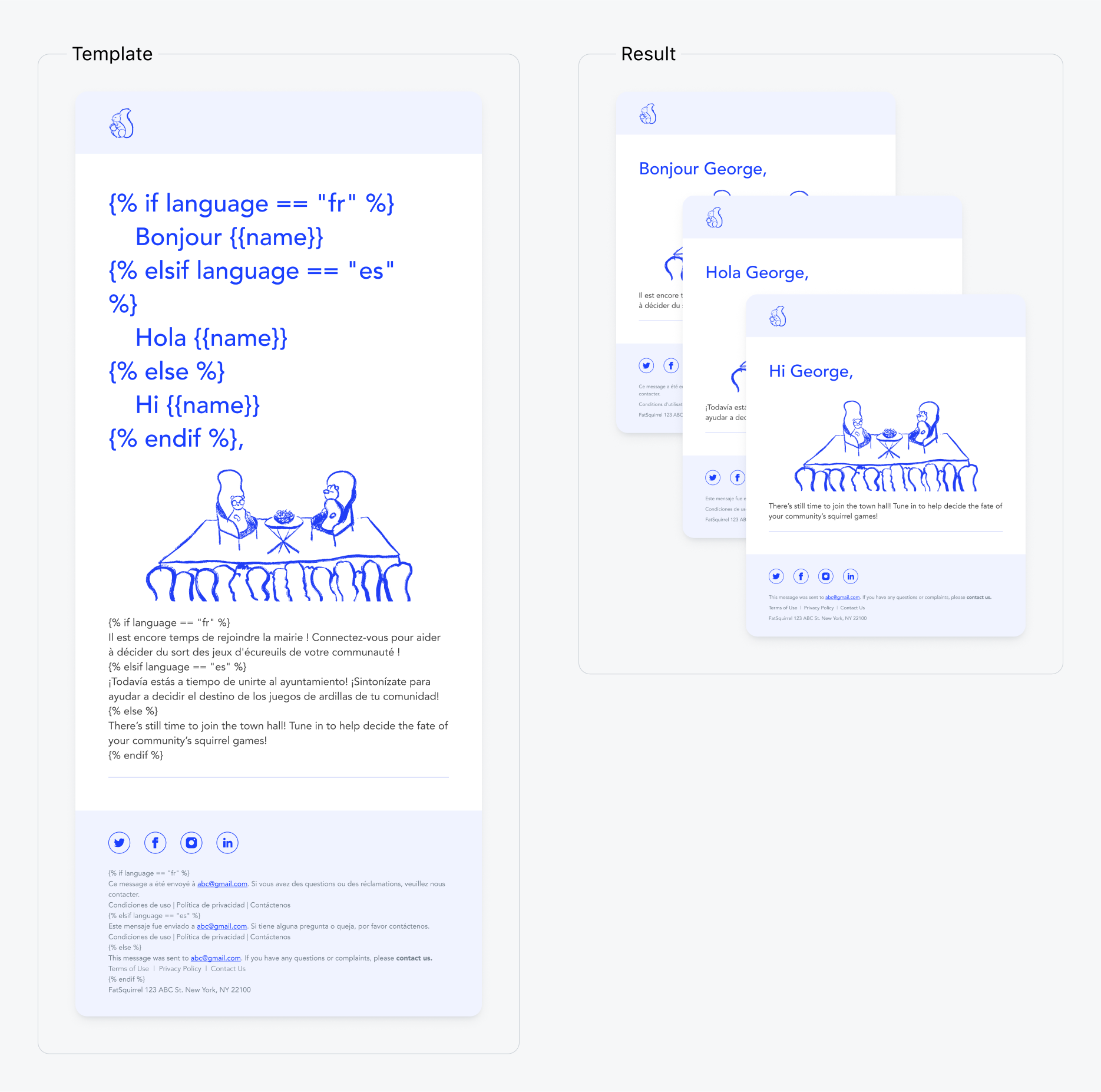
Use [Liquid syntax](./using-liquid-syntax) and [property or tag substitution](./message-personalization) to create conditional statements in the message and render the appropriate content based on the user's language.
```text Liquid theme={null}
{% assign language = subscription.language %}
{% if language == 'fr' %}
Bonjour {{ name }}!
{% elsif language == 'es' %}
Hola {{ name }}!
{% else %}
Hi {{ name }}!
{% endif %}
```
#### Option 3: Dynamic Content
Use [Dynamic Content](./dynamic-content) which involves creating and uploading a CSV file with the languages you support.
#### Troubleshooting
* **English required**: Include a row for `en` as default.
* **Use correct headers**: `language_code`, `title`, `subtitle`, `message`
* **Comma-separated values**: Ensure proper CSV formatting.
* **Unsupported language**: If not listed in the UI or template, it’s not supported. Use the next best option and contact `support@onesignal.com`.
The dashboard editor uses a standard HTML field. Special characters like `%` may cause display issues in RTL languages. Add [RLM marks](https://en.wikipedia.org/wiki/Right-to-left_mark) after such characters to fix formatting problems.
***
### API sending
The `contents` and `headings` fields support multiple languages:
```json theme={null}
{
"contents": {
"en": "English content",
"fr": "French content"
},
"headings": {
"en": "English heading",
"fr": "French heading"
}
}
```
### Dashboard sending
From **Messages > Email > New Message** or [Templates](./templates), choose from:
#### Option 1: Segments
1. Create a segment for each language.
2. Create a template per language.
3. Send each to its corresponding segment.
#### Option 2: Liquid syntax
Use [Liquid syntax](./using-liquid-syntax) and [property or tag substitution](./message-personalization) to create conditional statements in the message and render the appropriate content based on the user's language.
```text Liquid theme={null}
{% assign language = subscription.language %}
{% if language == 'fr' %}
Bonjour {{ name }}!
{% elsif language == 'es' %}
Hola {{ name }}!
{% else %}
Hi {{ name }}!
{% endif %}
```
 #### Option 3: Dynamic Content
Use [Dynamic Content](./dynamic-content) which involves creating and uploading a CSV file with the languages you support.
***
### API sending
Using the [Create message API](/reference/create-message), you can:
* Target language segments or filters like you would with the dashboard.
* Create message Templates with Liquid syntax utilizing `custom_data`, property or tag substitution. See [Message Personalization](./message-personalization) for more details on these options.
`custom_data` bulk personalization example:
```liquid Template theme={null}
{% assign eid = message.custom_data.users[subscription.external_id] %}
Hi {{ eid.first_name }}, you have {{ eid.points }} points. Your level is {{ eid.level }}.
```
```json API Request theme={null}
{
"app_id": "YOUR_APP_ID",
"template_id": "YOUR_TEMPLATE_ID",
"include_aliases": {
"external_id": ["user123", "user456"]
},
"custom_data": {
"users": {
"user123": { "first_name": "John", "points": "150", "level": "Gold" },
"user456": { "first_name": "Sarah", "points": "200", "level": "Platinum" }
}
}
}
```
Customer sees:
* "Hi John, you have 150 points. Your level is Gold."
* "Hi Sarah, you have 200 points. Your level is Platinum."
### Dashboard - Segments
To send a language-specific In-App Message to each language you need to support:
1. Create a segment for each language.
2. Create an in-app message per language.
3. Send each to its corresponding segment.
### Tag substitution
Use [Liquid syntax](./using-liquid-syntax) and [tag substitution](./message-personalization) to create conditional statements in the message and render the appropriate content based on tags.
Only Tag substitution is supported for in-app messages.
```Text Tags theme={null}
language : german
first_name : Jon
```
```Text Template theme={null}
{% assign lang = language%}
{% if lang == "english" %}
Good day {{first_name}}!
{%- elsif lang == 'german' -%}
Guten Tag {{first_name}}!
{%- elsif lang == 'spanish' -%}
Buenos Dias {{first_name}}!
{%- elsif lang == 'french' -%}
Bonjour {{first_name}}!
{% else %}
Hello {{first_name}}!
{% endif %}
```
```Text Result theme={null}
Guten Tag Jon!
```
### Dashboard sending
From **Messages > SMS > New Message** or [Templates](./templates), choose from:
#### Option 1: Segments
1. Create a segment for each language.
2. Create a template per language.
3. Send each to its corresponding segment.
#### Option 2: Dynamic Content
Use [Dynamic Content](./dynamic-content) which involves creating and uploading a CSV file with the languages you support.
***
### API sending
The `contents` and `headings` fields support multiple languages:
```json theme={null}
{
"contents": {
"en": "English content",
"fr": "French content"
},
"headings": {
"en": "English heading",
"fr": "French heading"
}
}
```
***
## Supported languages
Language code maps to the `language` user property in the ISO 639-1 code 2-letter format. We support the following language codes.
If the language code is not included in the pop-up and CSV template, then this language is not supported. We recommend using the next best language and sending us a product request to `support@onesignal.com`
| Language | Language Code |
| --------------------- | ------------- |
| English | en |
| Arabic | ar |
| Azerbaijani | az |
| Bosnian | bs |
| Catalan | ca |
| Chinese (Simplified) | zh-Hans |
| Chinese (Traditional) | zh-Hant |
| Croatian | hr |
| Czech | cs |
| Danish | da |
| Dutch | nl |
| Estonian | et |
| Finnish | fi |
| French | fr |
| Georgian | ka |
| Bulgarian | bg |
| German | de |
| Greek | el |
| Hindi | hi |
| Hebrew | he |
| Hungarian | hu |
| Indonesian | id |
| Italian | it |
| Japanese | ja |
| Korean | ko |
| Latvian | lv |
| Lithuanian | lt |
| Malay | ms |
| Norwegian | nb |
| Persian | fa |
| Polish | pl |
| Portuguese | pt |
| Punjabi | pa |
| Romanian | ro |
| Russian | ru |
| Serbian | sr |
| Slovak | sk |
| Spanish | es |
| Swedish | sv |
| Thai | th |
| Turkish | tr |
| Ukrainian | uk |
| Vietnamese | vi |
***
#### Option 3: Dynamic Content
Use [Dynamic Content](./dynamic-content) which involves creating and uploading a CSV file with the languages you support.
***
### API sending
Using the [Create message API](/reference/create-message), you can:
* Target language segments or filters like you would with the dashboard.
* Create message Templates with Liquid syntax utilizing `custom_data`, property or tag substitution. See [Message Personalization](./message-personalization) for more details on these options.
`custom_data` bulk personalization example:
```liquid Template theme={null}
{% assign eid = message.custom_data.users[subscription.external_id] %}
Hi {{ eid.first_name }}, you have {{ eid.points }} points. Your level is {{ eid.level }}.
```
```json API Request theme={null}
{
"app_id": "YOUR_APP_ID",
"template_id": "YOUR_TEMPLATE_ID",
"include_aliases": {
"external_id": ["user123", "user456"]
},
"custom_data": {
"users": {
"user123": { "first_name": "John", "points": "150", "level": "Gold" },
"user456": { "first_name": "Sarah", "points": "200", "level": "Platinum" }
}
}
}
```
Customer sees:
* "Hi John, you have 150 points. Your level is Gold."
* "Hi Sarah, you have 200 points. Your level is Platinum."
### Dashboard - Segments
To send a language-specific In-App Message to each language you need to support:
1. Create a segment for each language.
2. Create an in-app message per language.
3. Send each to its corresponding segment.
### Tag substitution
Use [Liquid syntax](./using-liquid-syntax) and [tag substitution](./message-personalization) to create conditional statements in the message and render the appropriate content based on tags.
Only Tag substitution is supported for in-app messages.
```Text Tags theme={null}
language : german
first_name : Jon
```
```Text Template theme={null}
{% assign lang = language%}
{% if lang == "english" %}
Good day {{first_name}}!
{%- elsif lang == 'german' -%}
Guten Tag {{first_name}}!
{%- elsif lang == 'spanish' -%}
Buenos Dias {{first_name}}!
{%- elsif lang == 'french' -%}
Bonjour {{first_name}}!
{% else %}
Hello {{first_name}}!
{% endif %}
```
```Text Result theme={null}
Guten Tag Jon!
```
### Dashboard sending
From **Messages > SMS > New Message** or [Templates](./templates), choose from:
#### Option 1: Segments
1. Create a segment for each language.
2. Create a template per language.
3. Send each to its corresponding segment.
#### Option 2: Dynamic Content
Use [Dynamic Content](./dynamic-content) which involves creating and uploading a CSV file with the languages you support.
***
### API sending
The `contents` and `headings` fields support multiple languages:
```json theme={null}
{
"contents": {
"en": "English content",
"fr": "French content"
},
"headings": {
"en": "English heading",
"fr": "French heading"
}
}
```
***
## Supported languages
Language code maps to the `language` user property in the ISO 639-1 code 2-letter format. We support the following language codes.
If the language code is not included in the pop-up and CSV template, then this language is not supported. We recommend using the next best language and sending us a product request to `support@onesignal.com`
| Language | Language Code |
| --------------------- | ------------- |
| English | en |
| Arabic | ar |
| Azerbaijani | az |
| Bosnian | bs |
| Catalan | ca |
| Chinese (Simplified) | zh-Hans |
| Chinese (Traditional) | zh-Hant |
| Croatian | hr |
| Czech | cs |
| Danish | da |
| Dutch | nl |
| Estonian | et |
| Finnish | fi |
| French | fr |
| Georgian | ka |
| Bulgarian | bg |
| German | de |
| Greek | el |
| Hindi | hi |
| Hebrew | he |
| Hungarian | hu |
| Indonesian | id |
| Italian | it |
| Japanese | ja |
| Korean | ko |
| Latvian | lv |
| Lithuanian | lt |
| Malay | ms |
| Norwegian | nb |
| Persian | fa |
| Polish | pl |
| Portuguese | pt |
| Punjabi | pa |
| Romanian | ro |
| Russian | ru |
| Serbian | sr |
| Slovak | sk |
| Spanish | es |
| Swedish | sv |
| Thai | th |
| Turkish | tr |
| Ukrainian | uk |
| Vietnamese | vi |
***