> ## Documentation Index
> Fetch the complete documentation index at: https://documentation.onesignal.com/llms.txt
> Use this file to discover all available pages before exploring further.
# Snowflake (Legacy)
> Sync custom events from Snowflake to OneSignal to trigger automated Journeys and personalized messaging campaigns based on user behavior.
This is the legacy Snowflake integration. For the new integration with faster sync times and direct data ownership, see [Snowflake](./snowflake). See the [migration section](./snowflake#migrating-from-legacy) for migration steps.
 ***
## Overview
The OneSignal + Snowflake integration supports two powerful data pipelines:
* **Export**: Automatically send messaging event data (push, email, SMS, in-app) from OneSignal to Snowflake for analysis and reporting.
* **Import**: Sync custom user events from your Snowflake datasets to OneSignal to trigger automated Journeys and personalized messaging.
Together, these integrations give you complete control over user engagement data—powering advanced analytics and real-time behavior-driven messaging.
***
## Export OneSignal events to Snowflake
Send messaging performance and engagement events (e.g., sends, opens, clicks) to Snowflake to:
* Build custom dashboards and reports
* Track delivery and engagement trends across channels
* Combine OneSignal data with other business data for analysis
**Requirements**
* OneSignal **Professional Plan** (not available on free apps).
* [Snowflake account](https://docs.snowflake.com/en/user-guide/getting-started-tutorial)
* Ensure your Snowflake account has the `IMPORT SHARE` and `CREATE DATABASE` roles.
* We recommend using the `ACCOUNTADMIN` role for accepting the share.
**Setup Steps**
### 1. Sign up
In order to activate the Snowflake integration, you'll need to request access via the [OneSignal Marketplace listing](https://app.snowflake.com/marketplace/listing/GZ2FQZLH2NP/onesignal-message-events-data?search=onesignal\&originTab=provider\&providerName=OneSignal\&profileGlobalName=GZSTZLH2MW) for Message Events Data. From there we'll reach out to your team to obtain more information.
### 2. Provide Account Information
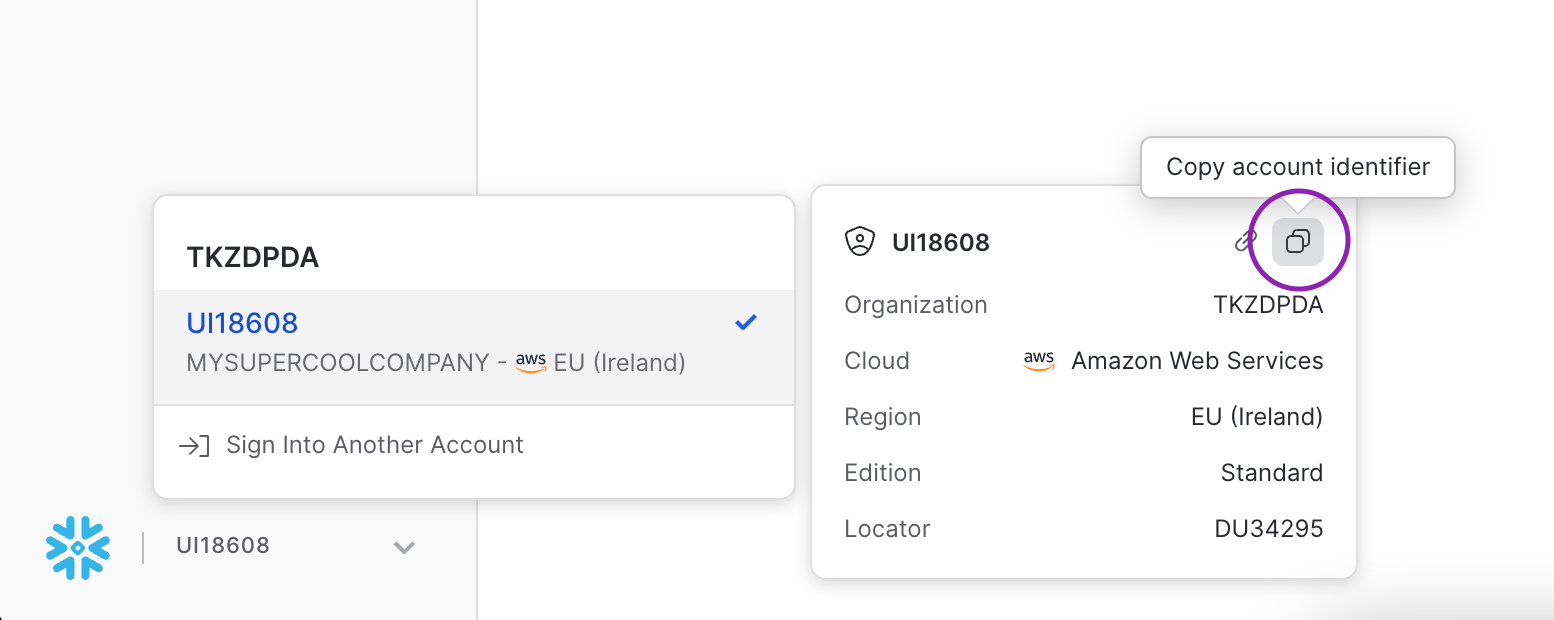
Once we connect with your team, you'll need to provide some details to us so we can share data with you. We will need your **Snowflake Account ID** and your **Snowflake Organization ID**. The easiest way to get that info is to click the "Copy account identifier" button (as shown below).
You should be in contact with us via the [OneSignal Marketplace listing](https://app.snowflake.com/marketplace/listing/GZ2FQZLH2NP/onesignal-message-events-data?search=onesignal\&originTab=provider\&providerName=OneSignal\&profileGlobalName=GZSTZLH2MW). However, if you have any further questions about providing account information, you can email `snowflake-data-sharing@onesignal.com`
***
## Overview
The OneSignal + Snowflake integration supports two powerful data pipelines:
* **Export**: Automatically send messaging event data (push, email, SMS, in-app) from OneSignal to Snowflake for analysis and reporting.
* **Import**: Sync custom user events from your Snowflake datasets to OneSignal to trigger automated Journeys and personalized messaging.
Together, these integrations give you complete control over user engagement data—powering advanced analytics and real-time behavior-driven messaging.
***
## Export OneSignal events to Snowflake
Send messaging performance and engagement events (e.g., sends, opens, clicks) to Snowflake to:
* Build custom dashboards and reports
* Track delivery and engagement trends across channels
* Combine OneSignal data with other business data for analysis
**Requirements**
* OneSignal **Professional Plan** (not available on free apps).
* [Snowflake account](https://docs.snowflake.com/en/user-guide/getting-started-tutorial)
* Ensure your Snowflake account has the `IMPORT SHARE` and `CREATE DATABASE` roles.
* We recommend using the `ACCOUNTADMIN` role for accepting the share.
**Setup Steps**
### 1. Sign up
In order to activate the Snowflake integration, you'll need to request access via the [OneSignal Marketplace listing](https://app.snowflake.com/marketplace/listing/GZ2FQZLH2NP/onesignal-message-events-data?search=onesignal\&originTab=provider\&providerName=OneSignal\&profileGlobalName=GZSTZLH2MW) for Message Events Data. From there we'll reach out to your team to obtain more information.
### 2. Provide Account Information
Once we connect with your team, you'll need to provide some details to us so we can share data with you. We will need your **Snowflake Account ID** and your **Snowflake Organization ID**. The easiest way to get that info is to click the "Copy account identifier" button (as shown below).
You should be in contact with us via the [OneSignal Marketplace listing](https://app.snowflake.com/marketplace/listing/GZ2FQZLH2NP/onesignal-message-events-data?search=onesignal\&originTab=provider\&providerName=OneSignal\&profileGlobalName=GZSTZLH2MW). However, if you have any further questions about providing account information, you can email `snowflake-data-sharing@onesignal.com`
 Once you are accepted into the program, be on the lookout for a few items:
* Email from OneSignal welcoming you into the program
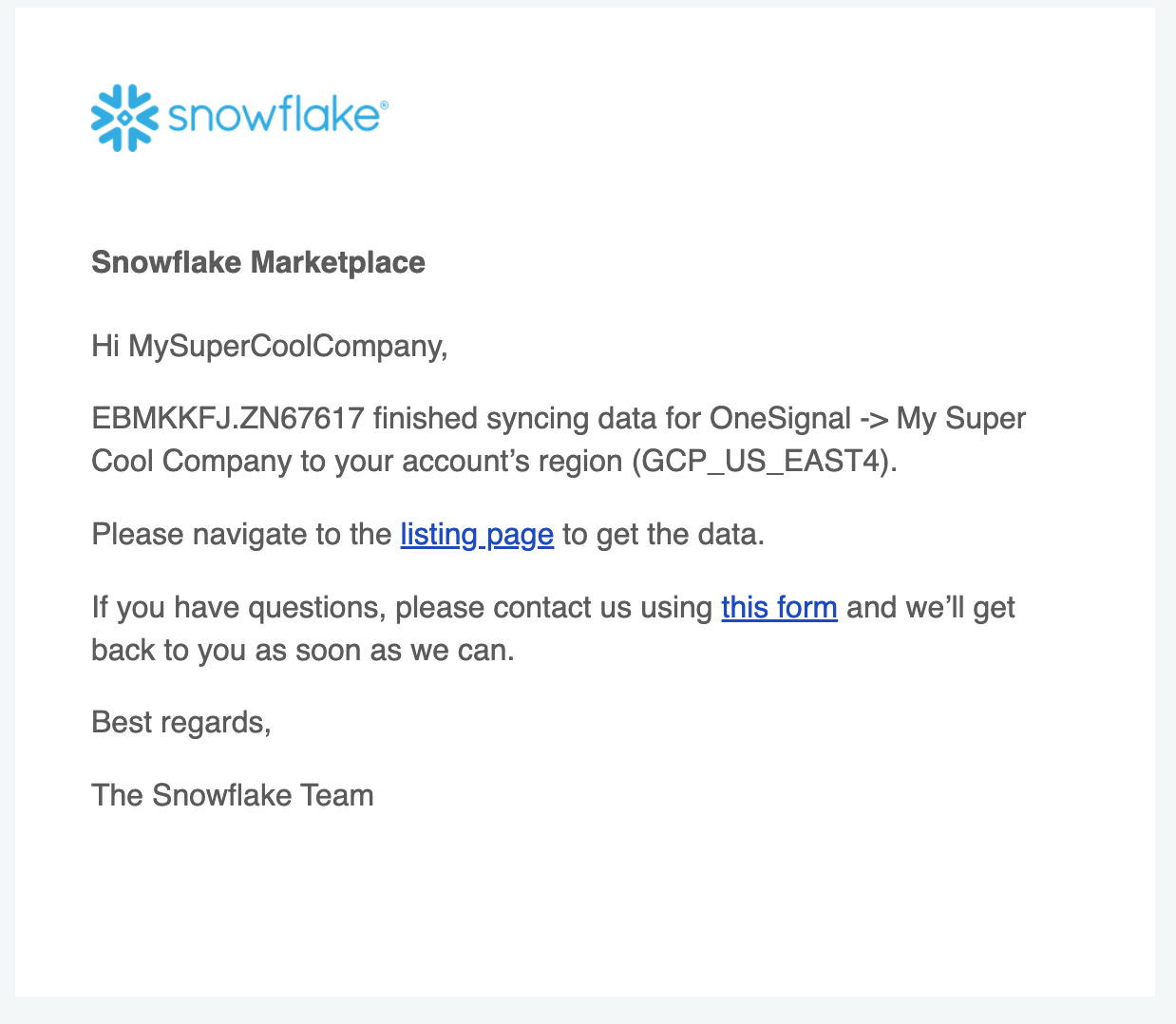
* Email from Snowflake notifying that the data share is complete
Once you are accepted into the program, be on the lookout for a few items:
* Email from OneSignal welcoming you into the program
* Email from Snowflake notifying that the data share is complete
 ### 3. Accept data share within Snowflake
Once you receive an email from Snowflake notifying you about the data share being complete, you should be able to log into the Snowflake app and accept the data share.
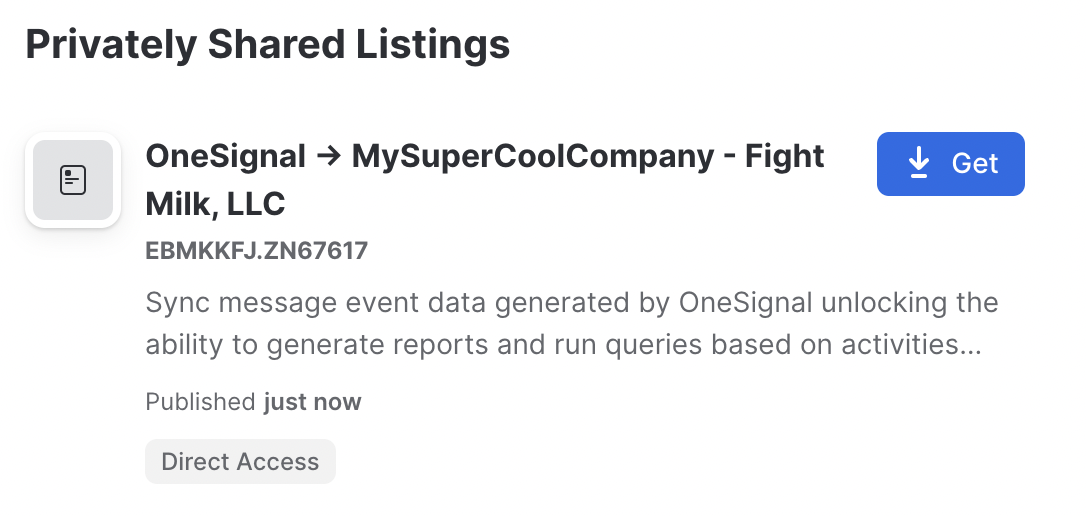
Navigate to **Data** → **Private Sharing** where you should be able to see a new Privately Shared Listing. Once you click **Get**, your data will start replicating to your region.
### 3. Accept data share within Snowflake
Once you receive an email from Snowflake notifying you about the data share being complete, you should be able to log into the Snowflake app and accept the data share.
Navigate to **Data** → **Private Sharing** where you should be able to see a new Privately Shared Listing. Once you click **Get**, your data will start replicating to your region.
 **Note**: If the **Get** button is not available but a **Request** button is, the permissions of the role attempting to make the share does not include `CREATE DATABASE` or `IMPORT SHARE`. We suggest switching to the `ACCOUNTADMIN` role.
It will take some time for the data to be replicated. Snowflake will follow up with an additional email once the data is available. You should see a dialog that looks like this
**Note**: If the **Get** button is not available but a **Request** button is, the permissions of the role attempting to make the share does not include `CREATE DATABASE` or `IMPORT SHARE`. We suggest switching to the `ACCOUNTADMIN` role.
It will take some time for the data to be replicated. Snowflake will follow up with an additional email once the data is available. You should see a dialog that looks like this
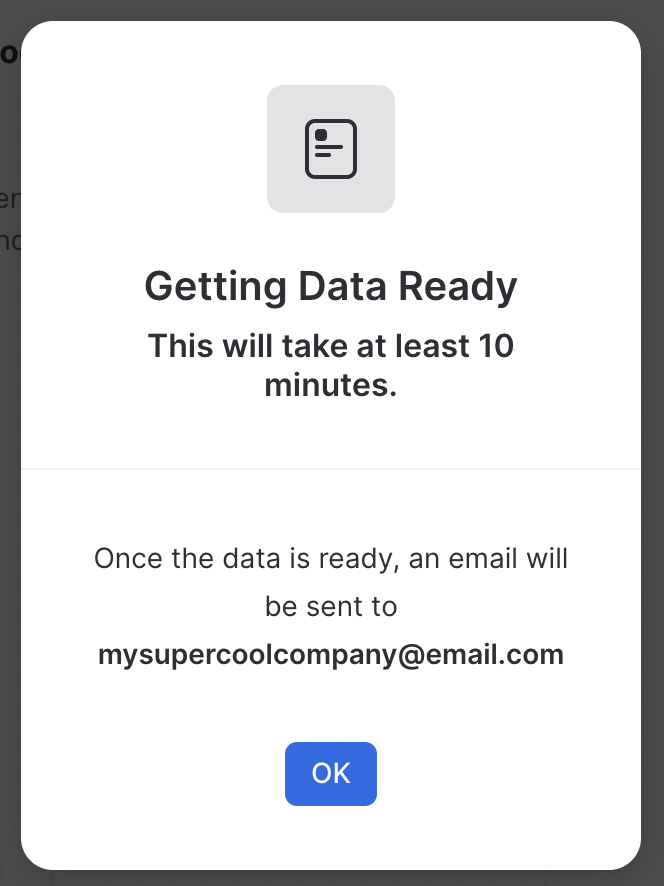 Once the data is ready to use, your listing should have a new **Get** button available. Click the **Get** button and you will be greeted with a new dialog
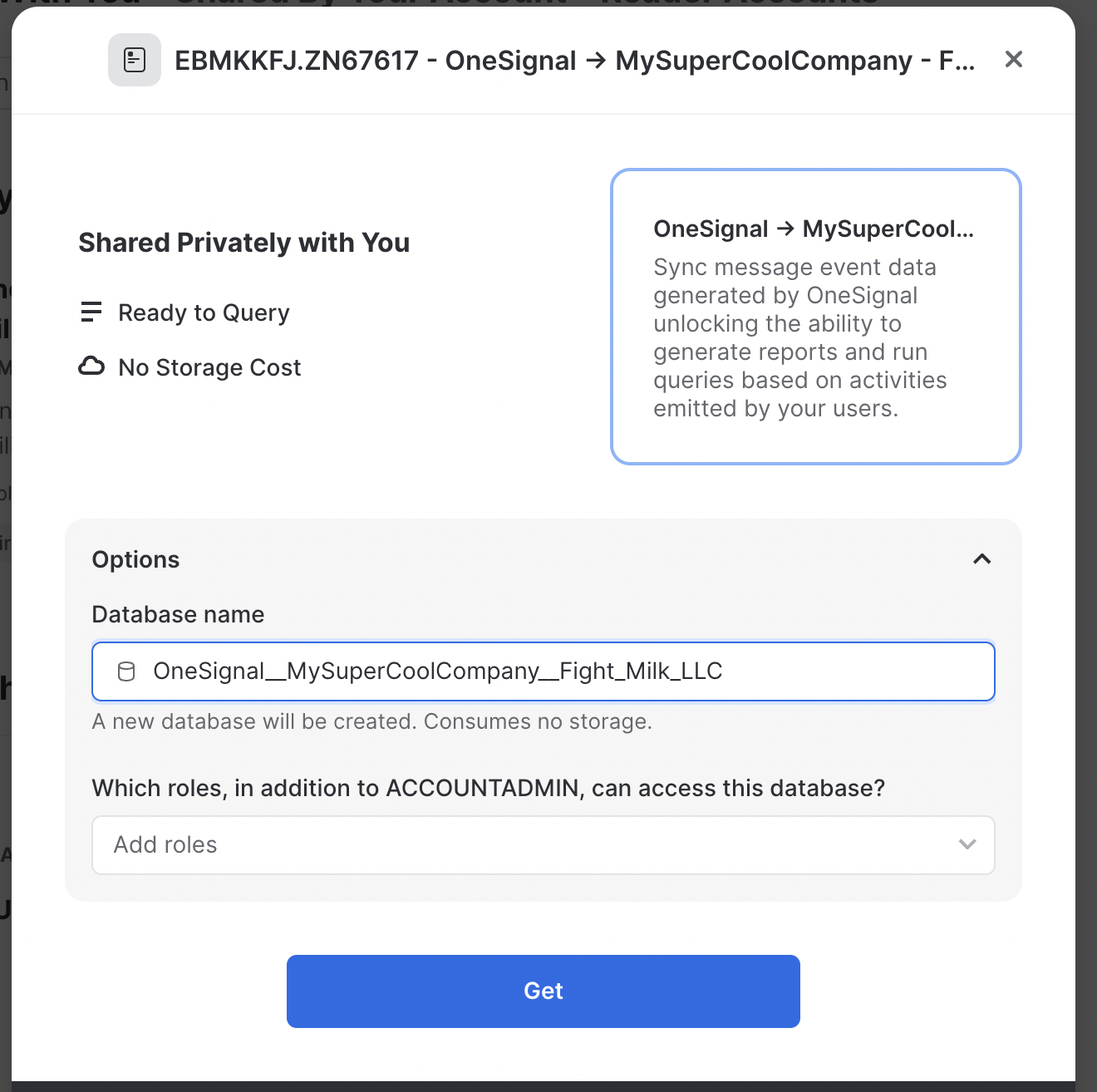 Set the name of the database and database roles to something you prefer. Then click **Get**
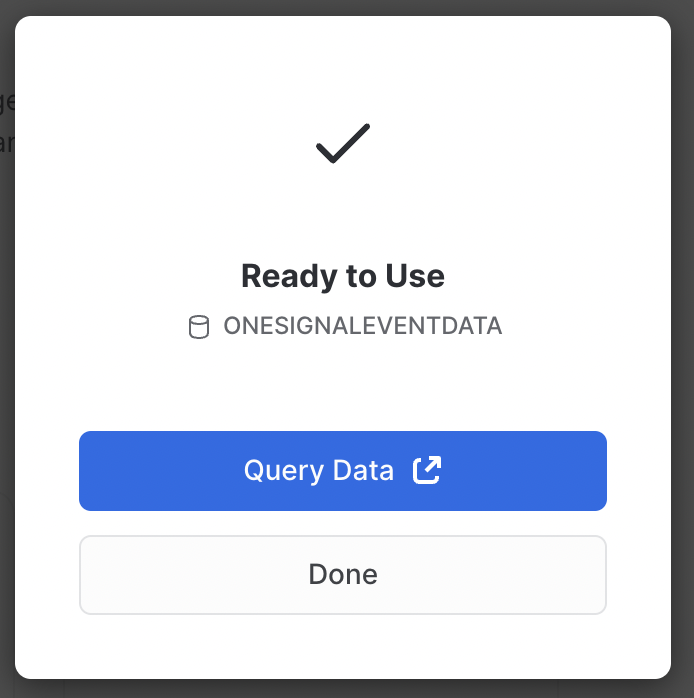 That's it! Data is now being synced from OneSignal to Snowflake. The sync cadence is set to once every 24 hours, so the initial data may not be available until the next day.
## Events and Properties
An overview of the data available on Snowflake's Marketplace
### Message Events Data
See [Event Streams](./event-streams#event-data) for more details.
For each message event generated by a user, the following metadata will be attached to the record.
| Column Name | Type | Description | Example |
| ---------------------------- | --------------- | -------------------------------------------------------------------------------------------------------------- | ----------------------------------------------------- |
| event\_id | UUID | A unique ID that represents the event | `dc76df03-287c-403a-aabd-b2d4fe44e5c6` |
| event\_kind | string | The type of event that occurred. The list of event kinds can be found [here](./snowflake#message-event-kinds). | `message.email.opened` |
| event\_impression\_timestamp | unix\_timestamp | The time that Onesignal processes the event | `1684951205` |
| subscription\_id | UUID | A unique ID that represents the device/subscription | `6e8b6978-75a4-4882-878c-2d15a78c2409` |
| subscription\_language | string | The language of this subscription | `en` |
| subscription\_timezone | integer | The specified timezone of this subscription | `-25200` |
| subscription\_device\_type | string | The type of device this subscription uses. | `SMS` |
| onesignal\_id | UUID | The onesignal\_id of the user that made the impression | `dc76df03-287c-403a-aabd-b2d4fe44e5c6` |
| external\_id | string | The external\_id of the user that made the impression | `MyExternalId` |
| message\_id | UUID | A unique ID that represents the message | `dc76df03-287c-403a-aabd-b2d4fe44e5c6` |
| message\_name | string | The human-readable id of the Notification/Message | `Campaign 1` |
| message\_title | string | The Title of the Notification/Message.*English only at this time* | `Bonus 50 coins when you play!` |
| message\_body | string | The Body of the message. (Truncated) *English only at this time.* | `Play against your friends and earn an additional...` |
### Message Event Kinds
See [Event Streams](./event-streams#event-data) for more details.
Message Events are the first category of data that we'll be offering on Snowflake's Marketplace. Please reach out to us at `snowflake-data-sharing@onesignal.com` with any requests for additional categories of data!
### Data Retention
Data shared from OneSignal via Snowflake is retained for a period of 30 days. To ensure data preservation beyond this timeframe, we recommend you copy the relevant data to your own tables.
***
## Disconnect data share with OneSignal
Please email us at `snowflake-data-sharing@onesignal.com` to request to deactivate your data share with OneSignal.
***
## FAQ
### How can I optimize costs?
* Use X-Small warehouse size
* Configure aggressive auto-suspend (60 seconds)
* Schedule syncs during off-peak hours
* Use hourly/daily syncs instead of continuous syncing
***
That's it! Data is now being synced from OneSignal to Snowflake. The sync cadence is set to once every 24 hours, so the initial data may not be available until the next day.
## Events and Properties
An overview of the data available on Snowflake's Marketplace
### Message Events Data
See [Event Streams](./event-streams#event-data) for more details.
For each message event generated by a user, the following metadata will be attached to the record.
| Column Name | Type | Description | Example |
| ---------------------------- | --------------- | -------------------------------------------------------------------------------------------------------------- | ----------------------------------------------------- |
| event\_id | UUID | A unique ID that represents the event | `dc76df03-287c-403a-aabd-b2d4fe44e5c6` |
| event\_kind | string | The type of event that occurred. The list of event kinds can be found [here](./snowflake#message-event-kinds). | `message.email.opened` |
| event\_impression\_timestamp | unix\_timestamp | The time that Onesignal processes the event | `1684951205` |
| subscription\_id | UUID | A unique ID that represents the device/subscription | `6e8b6978-75a4-4882-878c-2d15a78c2409` |
| subscription\_language | string | The language of this subscription | `en` |
| subscription\_timezone | integer | The specified timezone of this subscription | `-25200` |
| subscription\_device\_type | string | The type of device this subscription uses. | `SMS` |
| onesignal\_id | UUID | The onesignal\_id of the user that made the impression | `dc76df03-287c-403a-aabd-b2d4fe44e5c6` |
| external\_id | string | The external\_id of the user that made the impression | `MyExternalId` |
| message\_id | UUID | A unique ID that represents the message | `dc76df03-287c-403a-aabd-b2d4fe44e5c6` |
| message\_name | string | The human-readable id of the Notification/Message | `Campaign 1` |
| message\_title | string | The Title of the Notification/Message.*English only at this time* | `Bonus 50 coins when you play!` |
| message\_body | string | The Body of the message. (Truncated) *English only at this time.* | `Play against your friends and earn an additional...` |
### Message Event Kinds
See [Event Streams](./event-streams#event-data) for more details.
Message Events are the first category of data that we'll be offering on Snowflake's Marketplace. Please reach out to us at `snowflake-data-sharing@onesignal.com` with any requests for additional categories of data!
### Data Retention
Data shared from OneSignal via Snowflake is retained for a period of 30 days. To ensure data preservation beyond this timeframe, we recommend you copy the relevant data to your own tables.
***
## Disconnect data share with OneSignal
Please email us at `snowflake-data-sharing@onesignal.com` to request to deactivate your data share with OneSignal.
***
## FAQ
### How can I optimize costs?
* Use X-Small warehouse size
* Configure aggressive auto-suspend (60 seconds)
* Schedule syncs during off-peak hours
* Use hourly/daily syncs instead of continuous syncing
***