> ## Documentation Index
> Fetch the complete documentation index at: https://documentation.onesignal.com/llms.txt
> Use this file to discover all available pages before exploring further.
# iOS: Relevance score
> How you can set a relevance score
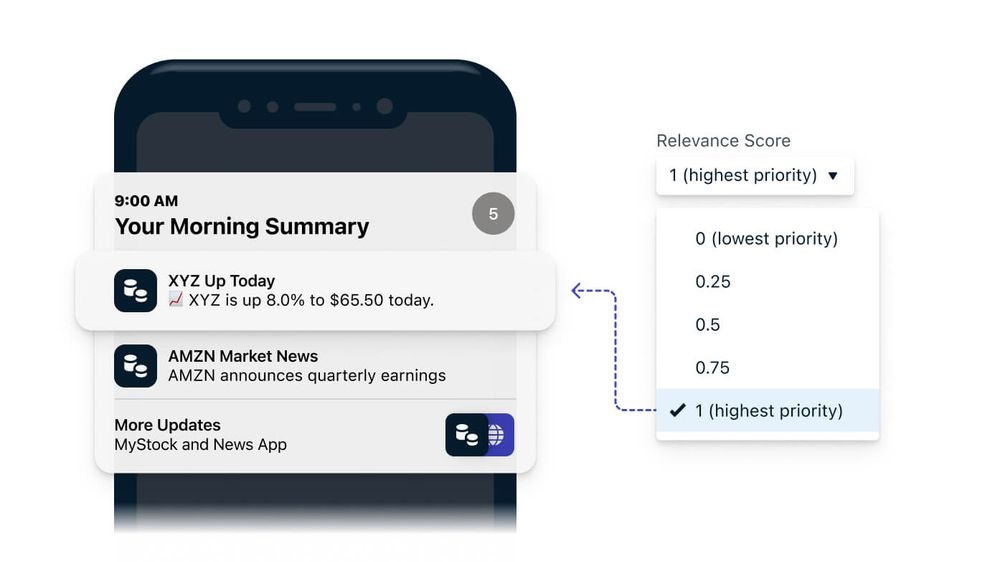 Apple’s Relevance Score allows you to indicate the importance of each push notification or Live Activity update. This score helps iOS determine how prominently to display your notifications in the Notification Summary (for push) or Dynamic Island/Lock Screen (for Live Activities).
 ***
## Relevance Score for push notifications
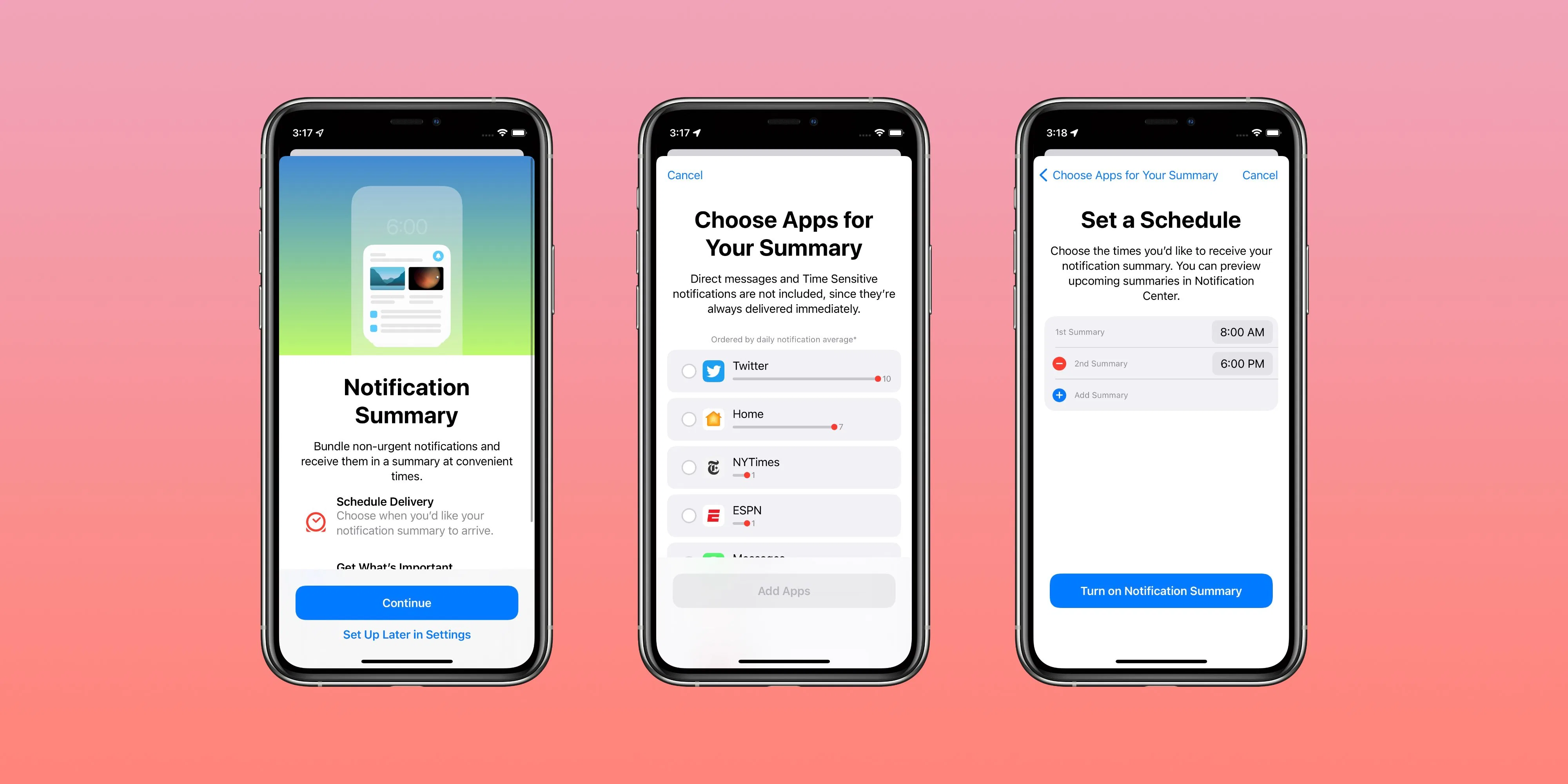
The relevance score is a value from `0.0` to `1.0` that signals to the system the importance of a notification. Notifications with higher relevance scores are shown more prominently in the user’s Notification Summary, which you can configure for scheduled delivery times.
1. Make sure you followed our [Mobile SDK setup](./mobile-sdk-setup) docs for iOS that implement the Notification Service Extension. This extension allows you to customize payloads, including relevance score.
2. When creating a [Push](./push) message, under iOS options, specify the **Relevance Score** from 0.0 (least important) to 1.0 (most important).
Reserve a score of `1.0` for the most critical messages. Overusing high scores will cause the system to ignore the distinction, making them all blend together in summary.
Example use cases:
* New Direct Messages set to `1.0`
* Promotional alerts set to `0.2`
* Daily reminders set to `0.6`
When creating a message from the dashboard, you can select the **Relevance Score** under the Apple iOS platform settings:
***
## Relevance Score for push notifications
The relevance score is a value from `0.0` to `1.0` that signals to the system the importance of a notification. Notifications with higher relevance scores are shown more prominently in the user’s Notification Summary, which you can configure for scheduled delivery times.
1. Make sure you followed our [Mobile SDK setup](./mobile-sdk-setup) docs for iOS that implement the Notification Service Extension. This extension allows you to customize payloads, including relevance score.
2. When creating a [Push](./push) message, under iOS options, specify the **Relevance Score** from 0.0 (least important) to 1.0 (most important).
Reserve a score of `1.0` for the most critical messages. Overusing high scores will cause the system to ignore the distinction, making them all blend together in summary.
Example use cases:
* New Direct Messages set to `1.0`
* Promotional alerts set to `0.2`
* Daily reminders set to `0.6`
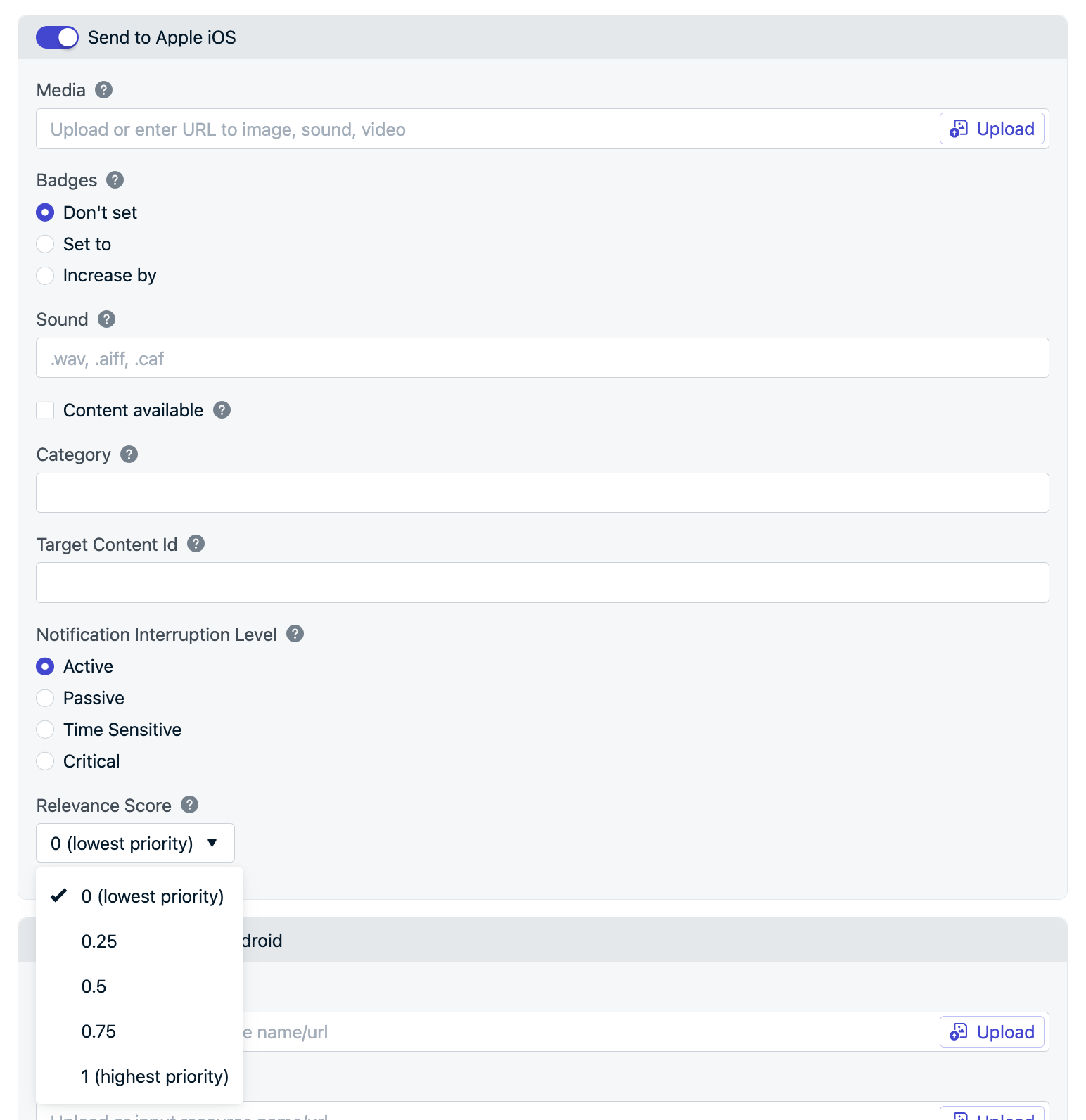
When creating a message from the dashboard, you can select the **Relevance Score** under the Apple iOS platform settings:
 [ios\_relevance\_score](/reference/push-notification#body-ios-relevance-score) is a value between 0 and 1, to sort the notifications from your app. The highest score gets featured in the notification summary.
```bash Request theme={null}
curl --request POST \
--url 'https://api.onesignal.com/notifications?c=push' \
--header 'Authorization: ' \
--header 'Content-Type: application/json' \
--data '{
"app_id": "YOUR_APP_ID",
"include_aliases": {
"external_id": ["EXTERNAL_ID"],
},
"contents": {
"en": "English Message"
},
"ios_relevance_score": 0.5
}'
```
***
## Relevance Score for Live Activities
If your app starts multiple Live Activities, the one with the highest relevanceScore is prioritized for display in the Dynamic Island. If two or more Live Activities share the same score, the system will show the earliest-started activity. On the Lock Screen, the relevanceScore also determines the display order of your app's Live Activities.
When using our [Update Live Activity API](/reference/update-live-activity-api), set the `ios_relevance_score` to any *`double`* data type value between `0.0` and `1.0`.
***
[ios\_relevance\_score](/reference/push-notification#body-ios-relevance-score) is a value between 0 and 1, to sort the notifications from your app. The highest score gets featured in the notification summary.
```bash Request theme={null}
curl --request POST \
--url 'https://api.onesignal.com/notifications?c=push' \
--header 'Authorization: ' \
--header 'Content-Type: application/json' \
--data '{
"app_id": "YOUR_APP_ID",
"include_aliases": {
"external_id": ["EXTERNAL_ID"],
},
"contents": {
"en": "English Message"
},
"ios_relevance_score": 0.5
}'
```
***
## Relevance Score for Live Activities
If your app starts multiple Live Activities, the one with the highest relevanceScore is prioritized for display in the Dynamic Island. If two or more Live Activities share the same score, the system will show the earliest-started activity. On the Lock Screen, the relevanceScore also determines the display order of your app's Live Activities.
When using our [Update Live Activity API](/reference/update-live-activity-api), set the `ios_relevance_score` to any *`double`* data type value between `0.0` and `1.0`.
***