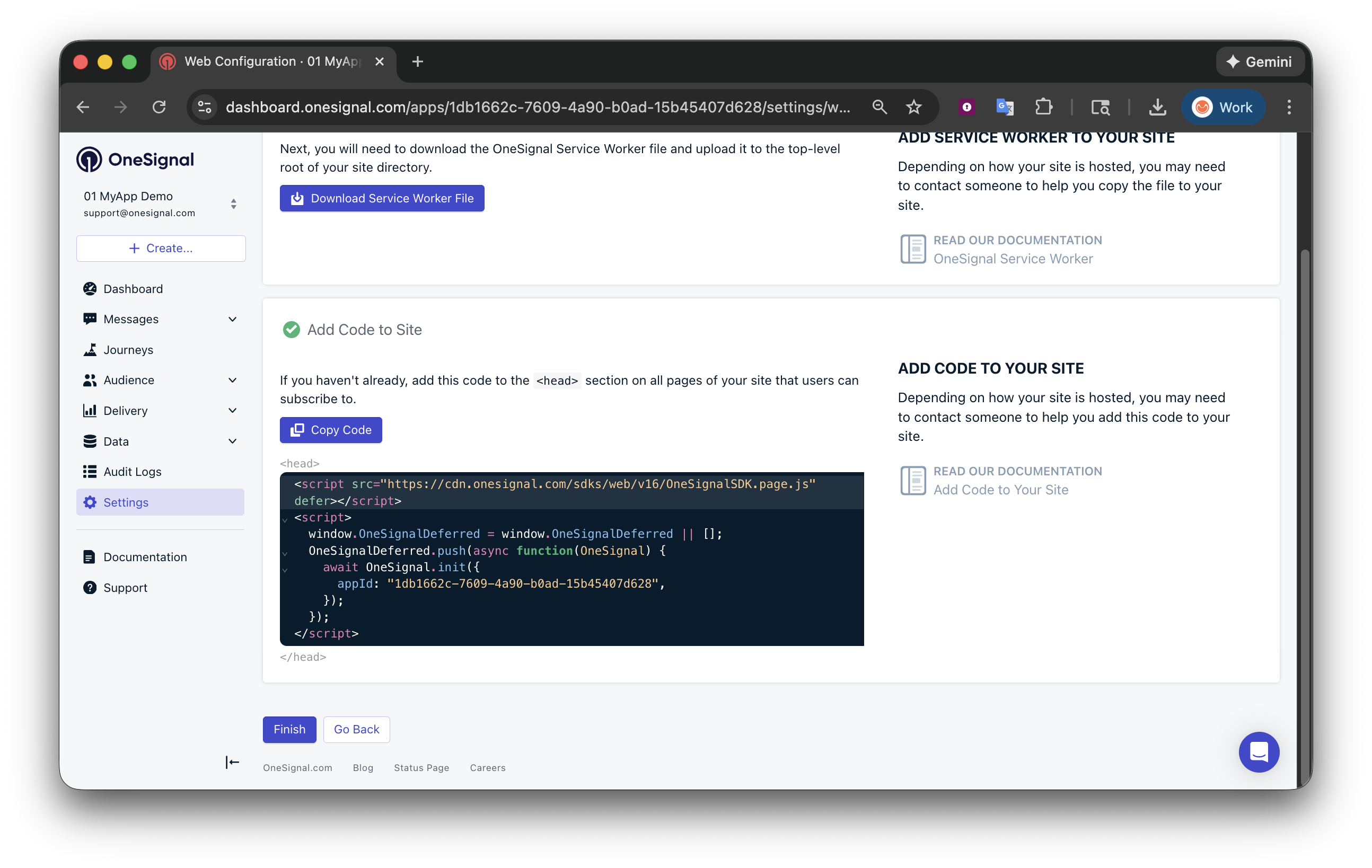
Add OneSignal Web Push to your website using Google Tag Manager (GTM), including service worker setup, initialization, and sending Tags safely.
This guide shows you how to load and initialize the OneSignal Web SDK using Google Tag Manager (GTM), then optionally set an External ID and send OneSignal Tags after initialization.
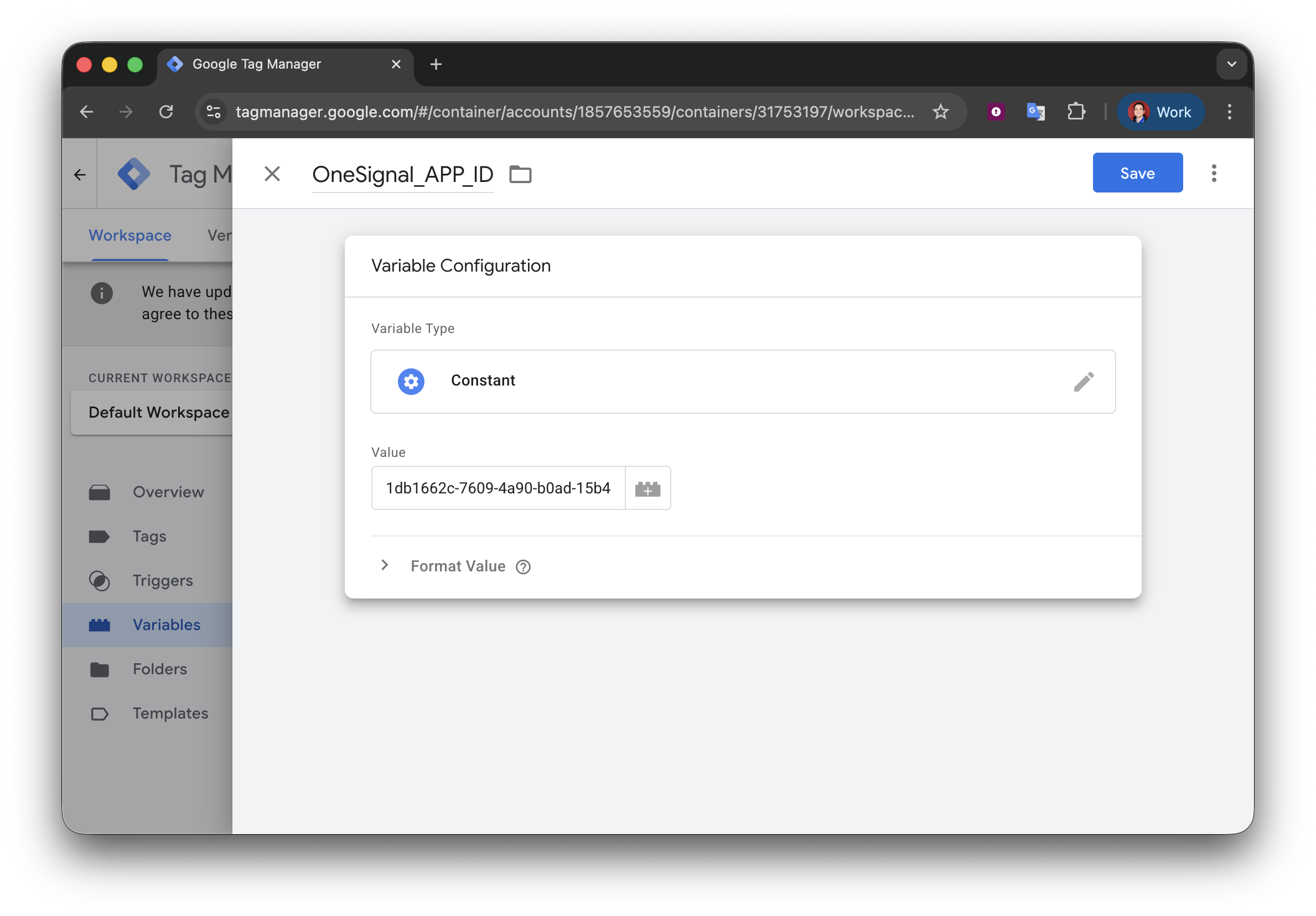
Create GTM variables for values you reference across tags. This avoids hardcoding and makes your setup easier to maintain.Create a ONESIGNAL_APP_ID variable
In GTM, go to Variables > New.
Choose Constant.
Name it ONESIGNAL_APP_ID
Set the value to your OneSignal App ID.
Save
You can now reference your App ID anywhere in GTM using {{ ONESIGNAL_APP_ID }}.
Create an ONESIGNAL_EXTERNAL_ID variable (Recommended)Use this if you associate users with an external identifier (for example, a user ID from your database or auth system).Choose a variable type based on where the value lives on your site. Common options:
Under Advanced Settings > Tag firing options, set Once per page.
Under Triggering, select Initialization - All Pages.
HTML
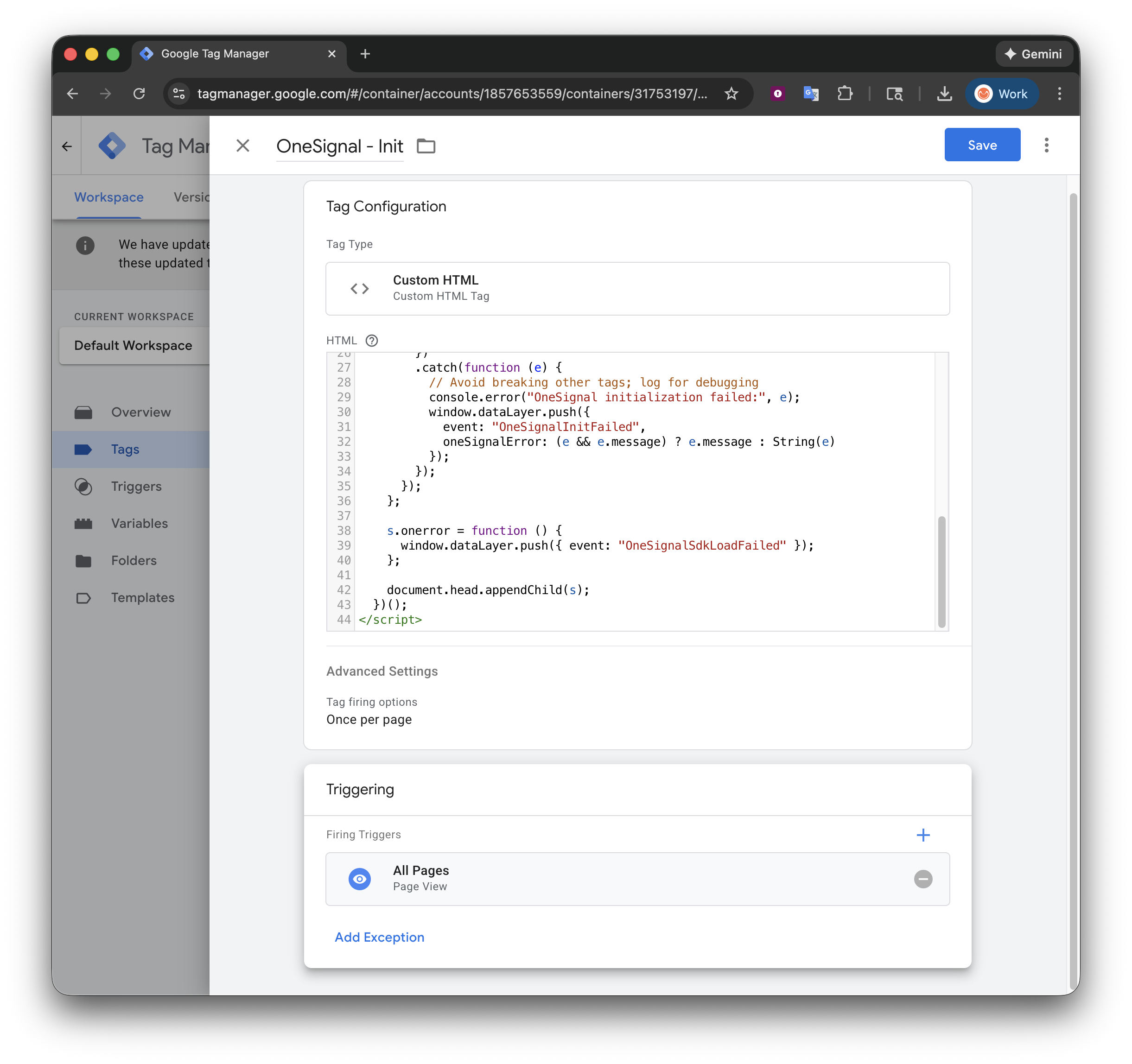
<!-- OneSignal – Web SDK initialization using Google Tag Manager This snippet: - Loads the OneSignal Web SDK - Initializes OneSignal with your App ID - Enables the Subscription Bell (notifyButton) Works for most sites out of the box.--><!-- 1. Load the OneSignal Web SDK (v16) --><!-- This script must load on every page where you want OneSignal available --><script src="https://cdn.onesignal.com/sdks/web/v16/OneSignalSDK.page.js" defer></script><script> // Ensure the GTM dataLayer exists // Used here only to optionally push a "OneSignalInitialized" event window.dataLayer = window.dataLayer || []; // OneSignalDeferred is a queue that runs once the SDK is fully loaded window.OneSignalDeferred = window.OneSignalDeferred || []; // 2. Initialize OneSignal once the SDK is ready window.OneSignalDeferred.push(function (OneSignal) { OneSignal.init({ /* REQUIRED It is recommended to set the OneSignal App ID as a GTM variable. You can find this in your OneSignal Dashboard under: Settings > Keys & IDs */ appId: "{{ONESIGNAL_APP_ID}}", /* OPTIONAL – ONLY NEEDED IF YOUR SERVICE WORKER IS NOT AT THE ROOT If your service worker is hosted at: /OneSignalSDKWorker.js …then you should NOT set serviceWorkerPath or serviceWorkerParam. Uncomment and update the options below ONLY if your service worker is hosted in a subdirectory (for example: /push/onesignal/). */ //serviceWorkerPath: "push/onesignal/OneSignalSDKWorker.js", //serviceWorkerParam: { scope: "/push/onesignal/" }, /* OPTIONAL Enable the OneSignal Subscription Bell (notifyButton), which allows users to subscribe or unsubscribe from notifications. For more prompt options, see: https://documentation.onesignal.com/docs/en/permission-requests */ notifyButton: { enable: true } }) .then(function () { // OneSignal initialized successfully console.log("[OneSignal] init success"); // Recommended: push an event to GTM for triggering other tags window.dataLayer.push({ event: "OneSignalInitialized" }); }) .catch(function (e) { // Initialization failed (invalid App ID, missing service worker, etc.) console.log("[OneSignal] init failed", e); }); });</script>
Setting the External ID is optional but recommended because it allows you to identify users across devices and syncs with your backend.Push ONESIGNAL_EXTERNAL_ID into the dataLayerThis example shows how you might push a user ID into the dataLayer so GTM can read it via the ONESIGNAL_EXTERNAL_ID variable (created in step 2).
HTML
<script> window.dataLayer = window.dataLayer || []; // Get your user ID from your database or auth system. // Ensure this is a string value. var userId = "your_user_id_here"; dataLayer.push({ ONESIGNAL_EXTERNAL_ID: String(userId), });</script>
Create a GTM Tag to set the External ID
Tag configuration:
Tag name: OneSignal – Set External ID
Tag type: Custom HTML
Tag firing options: Once per page
Trigger:
Create a custom event trigger for OneSignalInitialized (set in the above OneSignal - Init tag) and
Optionally if you know the user ID is available on the page load.
The required method to set the External ID is OneSignal.login(externalId) where externalId is a string.If {{ONESIGNAL_EXTERNAL_ID}} is empty (or GTM substitutes “undefined” / “null”), the login call will be skipped and the External ID will not be set. This is a common GTM timing issue.
HTML
<script> // OneSignalDeferred ensures this runs after the OneSignal SDK is ready window.OneSignalDeferred = window.OneSignalDeferred || []; window.OneSignalDeferred.push(function (OneSignal) { // Read the External ID from the GTM variable created in step 2 var externalId = "{{ONESIGNAL_EXTERNAL_ID}}"; console.log("[OneSignal] raw external ID from GTM:", externalId); // GTM may substitute undefined/null as literal strings — skip login if invalid if (!externalId || externalId === "undefined" || externalId === "null") { console.log("[OneSignal] External ID missing, skipping login"); return; } // Ensure the External ID is a clean string externalId = String(externalId).trim(); console.log("[OneSignal] Calling OneSignal.login with External ID:", externalId); /* Log the user into OneSignal using the External ID. This links the current browser/device to this user. */ OneSignal.login(externalId) });</script>
Advanced example with retry logic (use if External ID is not being set)
HTML
<script> window.dataLayer = window.dataLayer || []; window.OneSignalDeferred = window.OneSignalDeferred || []; OneSignalDeferred.push(function (OneSignal) { var rawExternalId = "{{ONESIGNAL_EXTERNAL_ID}}"; // ---- Helpers ---- function log() { console.log.apply(console, ["[OneSignal External ID]"].concat([].slice.call(arguments))); } function normalizeExternalId(v) { // GTM commonly substitutes these as strings if ( v === undefined || v === null || v === "undefined" || v === "null" ) return null; var s = String(v).trim(); if (!s.length) return null; return s; } function pushDL(eventName, extra) { try { var payload = Object.assign({ event: eventName }, extra || {}); window.dataLayer.push(payload); } catch (e) { // no-op } } function readStateSnapshot() { var snapshot = { onesignalId: null, externalId: null, pushSubscriptionId: null }; try { snapshot.onesignalId = OneSignal.User && OneSignal.User.onesignalId; snapshot.externalId = OneSignal.User && OneSignal.User.externalId; snapshot.pushSubscriptionId = OneSignal.User && OneSignal.User.PushSubscription && OneSignal.User.PushSubscription.id; } catch (e) { log("Error reading OneSignal.User state", e); } return snapshot; } function isExternalIdApplied(targetExternalId) { var current = normalizeExternalId(OneSignal.User && OneSignal.User.externalId); return current === targetExternalId; } // ---- Initial logging ---- log("Tag fired. rawExternalId:", rawExternalId, "type:", typeof rawExternalId); var externalId = normalizeExternalId(rawExternalId); log("Normalized externalId:", externalId, "type:", typeof externalId); if (!externalId) { log("Not calling login(): externalId missing/invalid"); pushDL("OneSignalExternalIdMissing", { reason: "invalid_or_missing_external_id" }); return; } // Optional: enable verbose OneSignal logs during testing if (OneSignal.Debug && OneSignal.Debug.setLogLevel) { OneSignal.Debug.setLogLevel("trace"); log("Enabled OneSignal Debug log level: trace"); } // ---- Attach User State observer ---- var changeFired = false; OneSignal.User.addEventListener("change", function (event) { changeFired = true; log("User change event fired:", event); var snapshot = readStateSnapshot(); log("User state snapshot:", snapshot); // Helpful: push snapshot-ish DL event (optional) pushDL("OneSignalUserStateChanged", { onesignal_id: snapshot.onesignalId || "", external_id: normalizeExternalId(snapshot.externalId) || "", push_subscription_id: snapshot.pushSubscriptionId || "" }); }); // ---- Login + confirm + retry ---- var attempt = 0; var MAX_RETRIES = 3; var CONFIRM_WINDOW_MS = 1500; var BASE_BACKOFF_MS = 500; function doLogin() { attempt += 1; changeFired = false; log("Calling OneSignal.login()", { externalId: externalId, attempt: attempt }); OneSignal.login(externalId) .then(function () { log("OneSignal.login() promise resolved"); waitForConfirmation(); }) .catch(function (e) { log("OneSignal.login() promise rejected", e); retry("promise_rejected"); }); } function waitForConfirmation() { var start = Date.now(); (function check() { if (isExternalIdApplied(externalId)) { log("Confirmed externalId applied via state check:", externalId); var snapshot = readStateSnapshot(); log("Final state snapshot:", snapshot); pushDL("OneSignalExternalIdSet", { external_id: externalId, attempt: attempt, push_subscription_id: snapshot.pushSubscriptionId || "" }); return; } if (changeFired) { log("Change event observed but externalId not yet reflected; waiting..."); } if (Date.now() - start >= CONFIRM_WINDOW_MS) { log("No confirmation within window", { attempt: attempt, changeFired: changeFired, currentExternalId: normalizeExternalId(OneSignal.User && OneSignal.User.externalId) }); retry("no_confirmation"); return; } setTimeout(check, 100); })(); } function retry(reason) { if (attempt >= MAX_RETRIES) { log("Giving up after max retries", { attempts: attempt, reason: reason }); var snapshot = readStateSnapshot(); log("State at give-up:", snapshot); pushDL("OneSignalExternalIdSetFailed", { external_id: externalId, reason: reason, attempts: attempt, push_subscription_id: snapshot.pushSubscriptionId || "" }); return; } var delay = BASE_BACKOFF_MS * Math.pow(2, attempt - 1); log("Retrying login after delay", { delayMs: delay, reason: reason, nextAttempt: attempt + 1 }); setTimeout(doLogin, delay); } // If already applied, don't spam login() if (isExternalIdApplied(externalId)) { log("ExternalId already applied; skipping login.", externalId); var snapshot = readStateSnapshot(); log("Current state snapshot:", snapshot); pushDL("OneSignalExternalIdAlreadySet", { external_id: externalId, push_subscription_id: snapshot.pushSubscriptionId || "" }); return; } // Kick it off doLogin(); });</script>
You can monitor push subscription state changes (opt-in, opt-out, token updates) by adding an event listener. This is useful for syncing subscription status with your analytics or backend systems via the GTM dataLayer.Tag configuration:
Name: OneSignal - Push Subscription Listener
Tag Type: Custom HTML
Tag firing options: Once per page
Trigger: OneSignalInitialized
HTML
<script> /* Callback fired whenever the push subscription state changes. The event object contains previous and current snapshots so you can detect opt-ins, opt-outs, and token refreshes. */ function pushSubscriptionChangeListener(event) { // Subscription ID before and after the change console.log("event.previous.id", event.previous.id); console.log("event.current.id", event.current.id); // Push token (device token) before and after the change console.log("event.previous.token", event.previous.token); console.log("event.current.token", event.current.token); // Whether the user was/is opted in to push notifications console.log("event.previous.optedIn", event.previous.optedIn); console.log("event.current.optedIn", event.current.optedIn); } // Ensure the OneSignalDeferred queue exists window.OneSignalDeferred = window.OneSignalDeferred || []; OneSignalDeferred.push(function(OneSignal) { // Register the listener on the PushSubscription object OneSignal.User.PushSubscription.addEventListener("change", pushSubscriptionChangeListener); });</script>
If your site uses Consent Mode / a CMP, decide whether OneSignal should load:
Only after consent (common for EU/UK), or
Immediately (common where “functional” storage is allowed by default).
GTM supports a Consent Initialization trigger and tag-level consent controls to manage tag behavior based on user consent. However, OneSignal also provides privacy consent methods to control when the SDK loads.
Yes. You can control when OneSignal loads using GTM’s consent controls or OneSignal’s own privacy methods. If your site requires consent before loading scripts, configure the init tag’s trigger to fire only after consent is granted, or use OneSignal’s setConsentRequired and setConsentGiven methods. See Handling personal data for details.
The most common cause is a GTM timing issue where {{ONESIGNAL_EXTERNAL_ID}} resolves to "undefined" or "null" because the dataLayer variable isn’t populated yet when the tag fires. Verify the variable has a value in GTM Preview mode before the tag executes. If the value loads asynchronously, use the advanced example with retry logic.
Can I load OneSignal through both GTM and site code?
No. Loading the OneSignal SDK more than once causes duplicate prompts and unpredictable behavior. Use either GTM or direct site code, not both. Also check for CMS plugins that may inject OneSignal separately.