

Data types and their relevance to OneSignal
Use the following table to determine which data types you must disclose when using OneSignal: ✅ = Required when using OneSignal 💡 = May be required, depending on configuration ❌ = Not required when using OneSignalRequired data disclosures in App Store Connect
Type: Purchases
If your app includes in-app purchases, you must report collection of ‘Purchases’ data.
Select Purchases data type
Purchase History
Mark ‘Analytics’ as a minimum. This enables OneSignal to provide dashboard features like Segments and Outcomes.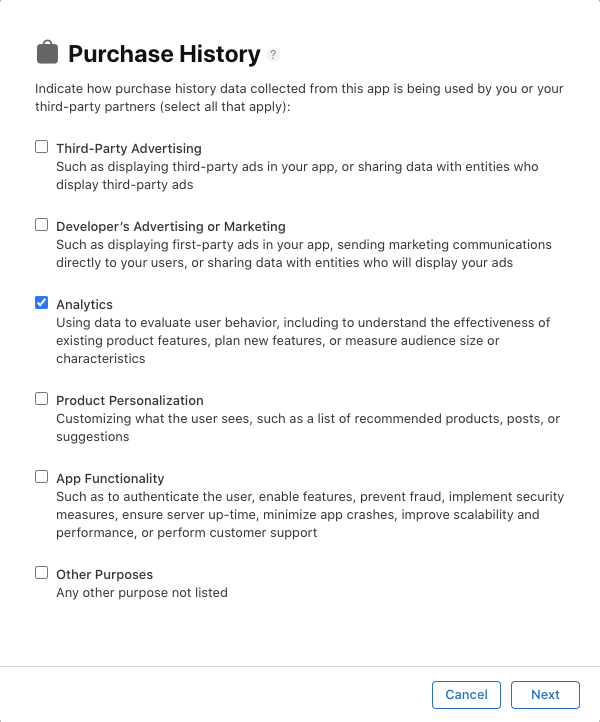
Select usage purpose for Purchases
If you use OneSignal for other purposes (e.g., personalization or app functionality), be sure to select those as well.
Linked to user identity?
If you’re only using OneSignal’s anonymous IDs and don’t associate them with identifiable users, you can select ‘No’. If you link user data (e.g., email or name) via your backend or third-party tools, select ‘Yes’.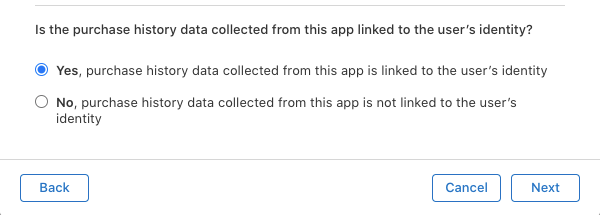
Indicate if purchase history is linked to user identity
Used for tracking?
OneSignal does not track users across other apps. Select ‘No’ unless you use third-party tools or integrations that perform tracking.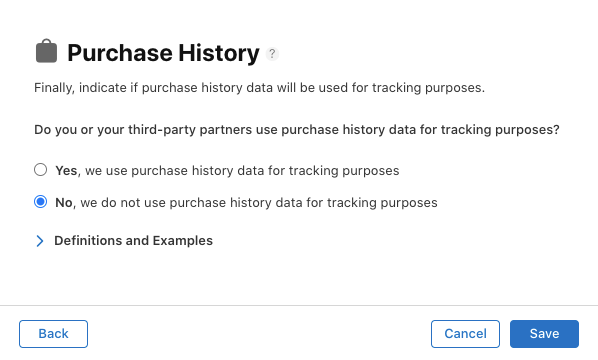
Indicate if purchase data is used for tracking
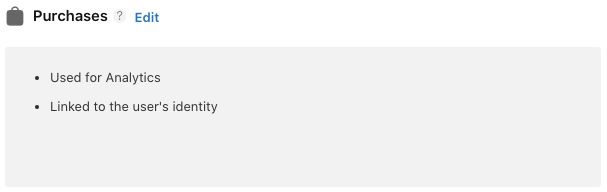
Privacy summary showing Purchases
Type: Usage Data – Product Interaction
You must disclose collection of ‘Product Interaction’ under Usage Data.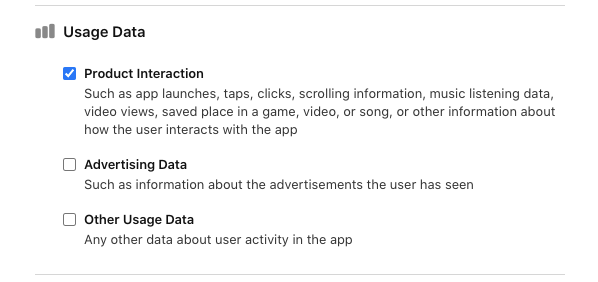
Select Product Interaction data type
Product Interaction
Select ‘Analytics’ to reflect how OneSignal uses this data in Segments and Outcomes.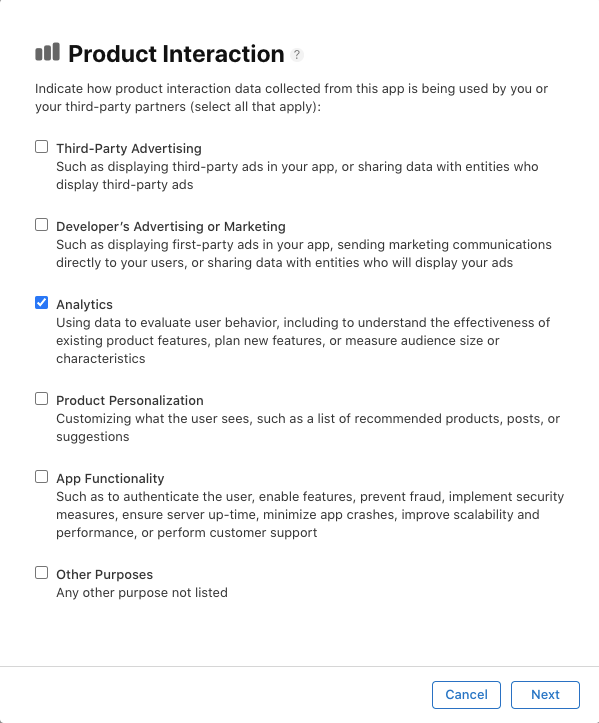
Select usage purpose for Product Interaction
If you use this data for other purposes, such as app functionality or personalization, include those as well.
Linked to user identity?
Same guidance as with Purchases — if anonymous, select ‘No’. If linked via user ID or contact info, select ‘Yes’.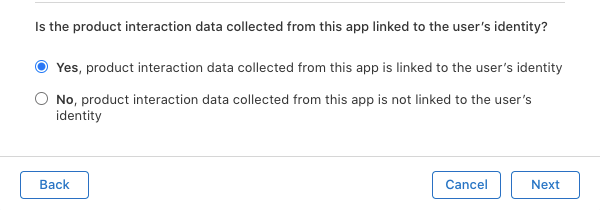
Indicate if product interaction is linked to user identity
Used for tracking?
OneSignal does not use this data for tracking across apps. Select ‘No’ unless other SDKs or integrations do.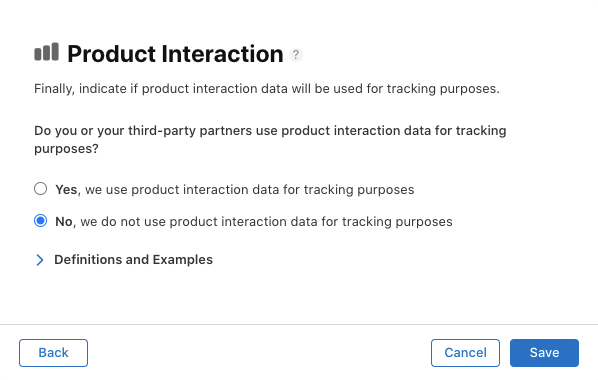
Indicate if product interaction data is used for tracking
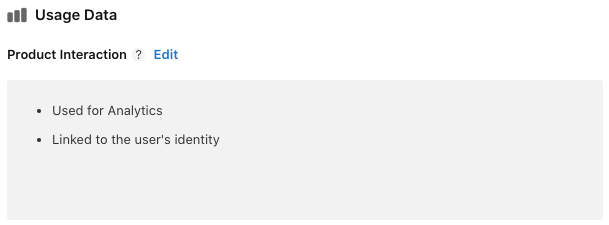
Privacy summary showing Product Interaction
Final review
After completing all sections, Apple will show a preview of your app’s privacy disclosure. If you correctly selected Purchases and Usage Data, it should resemble the following: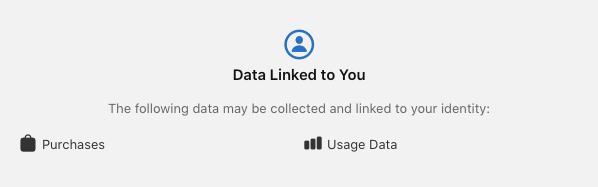
Final privacy details summary in App Store Connect