

Charts
Subscription Trends presents two charts.Total subscribed
The Total subscribed chart shows the cumulative count of Subscriptions that can currently receive messages. The headline number reflects the latest value in the selected time range, not a sum across the period.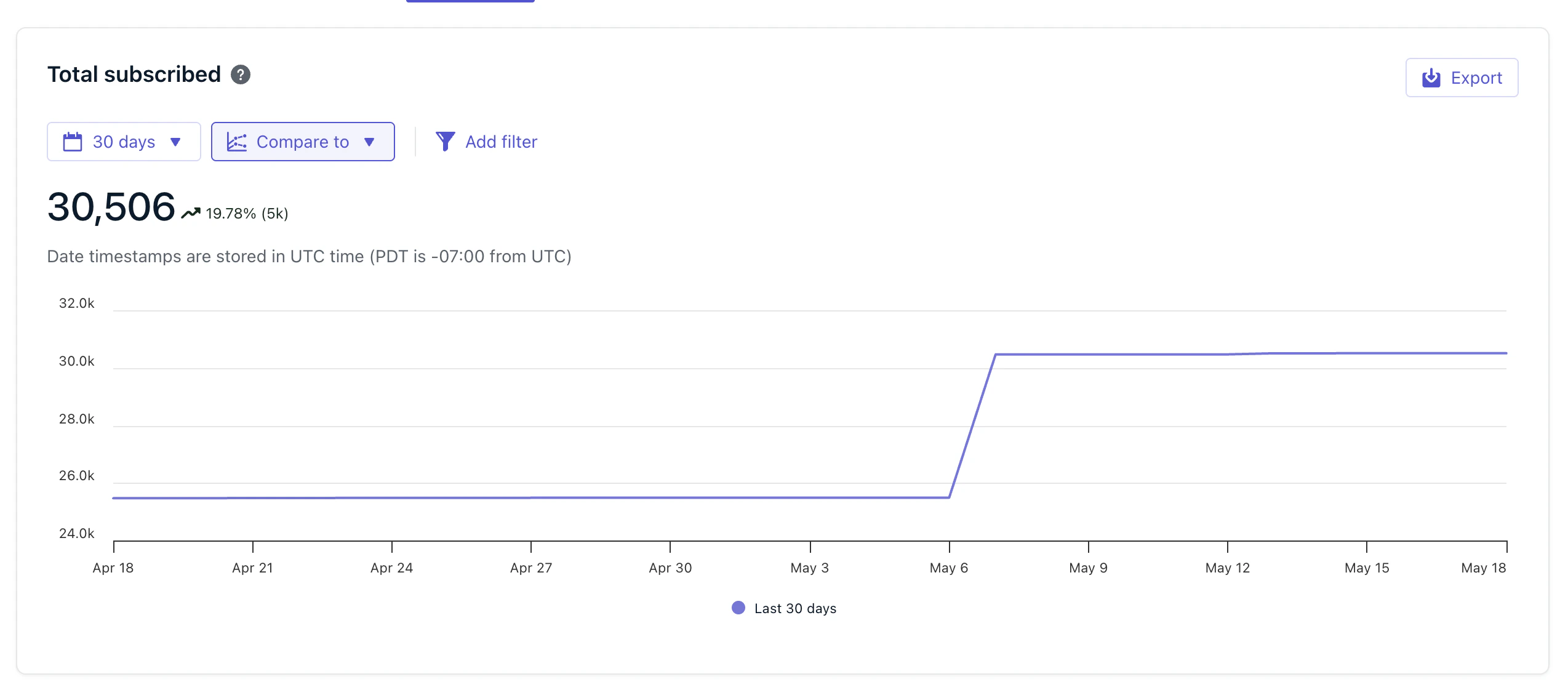
Total subscribed chart
Subscription status changes
The Subscription Status Changes chart tracks opt-in and opt-out activity using two tabs. Select a tab to view subscribes or unsubscribes independently.The Subscription Status Changes chart requires a paid plan. Free plan accounts see an upsell prompt in place of the chart.
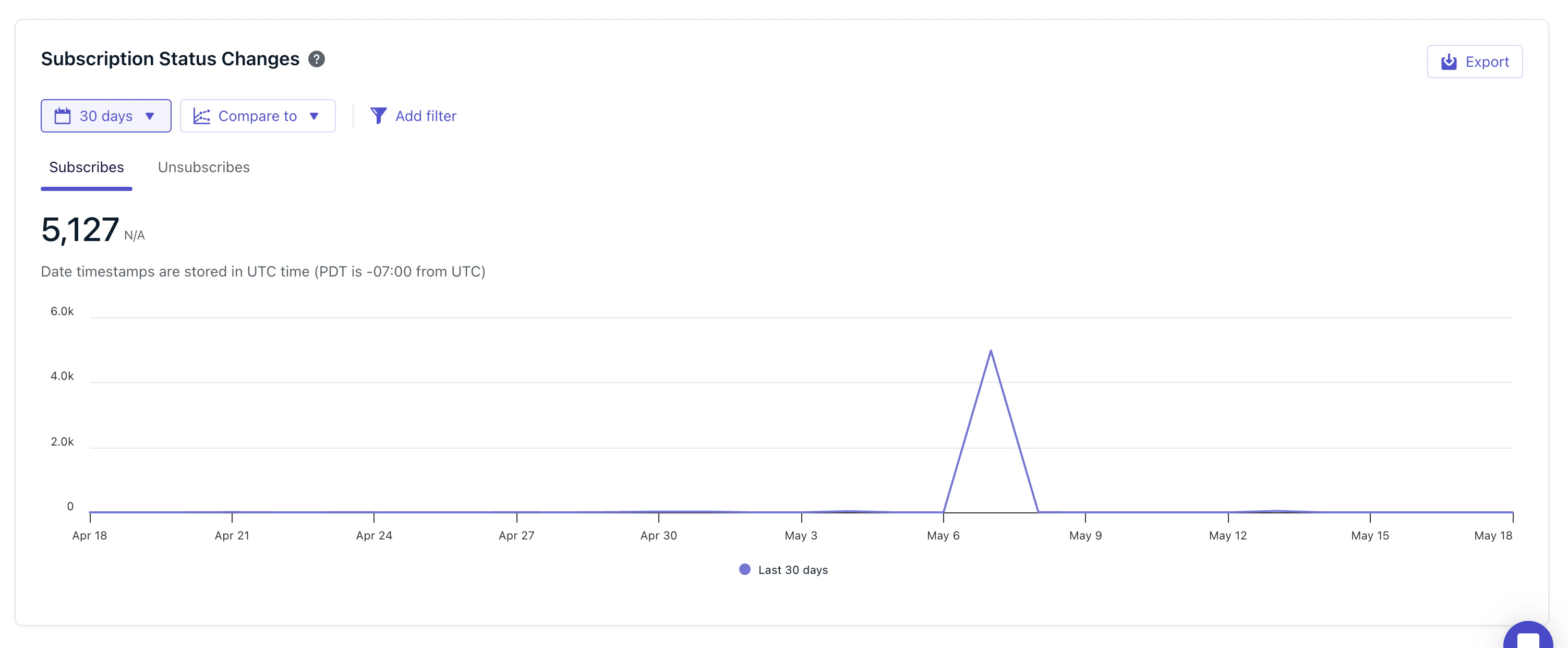
Subscription Status Changes chart
What to track
Use Subscription Trends to monitor:- Growth or decline in your subscribed audience over time
- The impact of permission prompts on new subscribes
- Unsubscribe spikes following campaigns
FAQ
What is a Subscription?
A Subscription represents a single device or channel through which a user can receive messages — for example, a push token for a mobile device, an email address, or a phone number for SMS. A single user can have multiple Subscriptions. See Subscriptions for the full definition.Why does my Total subscribed count fluctuate?
Total subscribed reflects the live count of subscribed Subscriptions. It changes as users install or uninstall your app, clear browser data, subscribe or unsubscribe from messages, or get deleted from the system. See Subscriptions for how these lifecycle events are tracked.Does Unsubscribes include users who denied the push prompt?
No. Unsubscribes counts status changes from subscribed to unsubscribed. Users who deny the push prompt are never subscribed, so they are not counted here.Related
Subscriptions
Learn how Subscriptions are created, stored, and marked as subscribed or unsubscribed.
Engagement trends
Track message sends, opens, clicks, and unsubscribes over time.
Analytics overview
Tour the dashboards, APIs, and export tools OneSignal provides for measuring performance.
Users
Users can have multiple Subscriptions and are identified by their External ID.