

- An analyst who needs to review messaging performance across apps could be an Organization Viewer.
- A developer or marketer working on one app can be assigned as an App Admin.
- A content writer who builds messages but should not send them could be an Organization Composer.
- A finance team member who only needs billing access could be an Organization Finance role.
- A contractor who only needs access to a single app can start as an Organization Team Member with an app-level role layered on.
For details on how Apps and Organizations work together, see Apps, Organizations, and Accounts.
Managing team access
You can grant access at either the Organization level (all apps) or App level (specific apps).Invite a team member to an Organization
Organization Admins can invite users and assign them roles that apply to all apps in the Organization.1
Navigate to your Organization
Click the Settings (gear) button in the bottom-left corner of the dashboard sidebar, click Organization settings, then click Organization members.
2
Invite a team member
Click Invite to Organization.
3
Assign a role
Choose a role: Admin, Finance, Operations, Editor, Composer, Viewer, or Team Member.
The invited user receives an email to accept the invitation. Once accepted, they appear in the Team Members list with the assigned role.
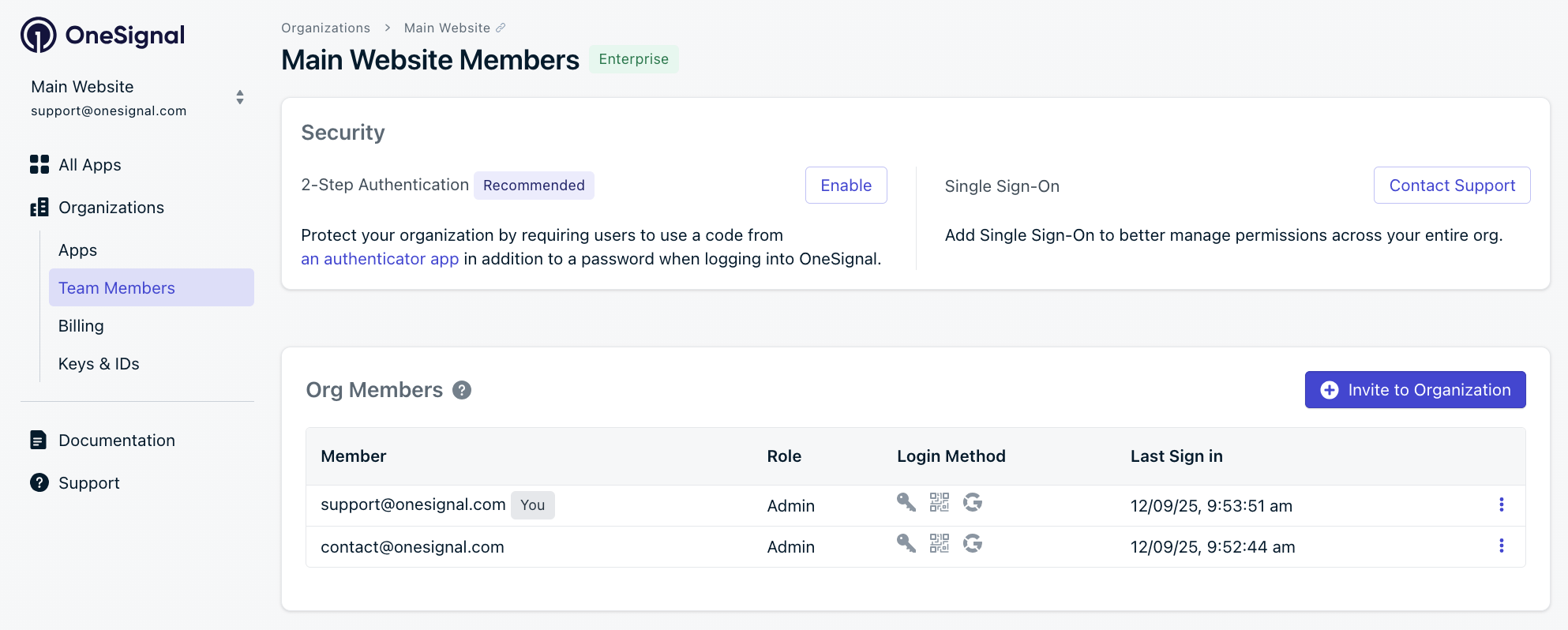
Inviting a new team member to an organization
Invite a team member to an App
App-level roles let you grant additional permissions on a specific App beyond what the user’s Organization role provides.1
Navigate to your App
Select your app, click the Settings (gear) button in the bottom-left corner of the dashboard sidebar, then click Team members.
2
Invite a team member
Click Invite to App.
3
Assign a role
Choose a role for that app: Admin, Operations, Editor, Composer, or Viewer.
Valid App-level role assignments
When you assign an App-level role, it must grant access the user’s Organization role does not already have. If the Organization role already covers the app role, the assignment is redundant and is skipped. Both the client and server enforce these rules.Editor, Composer, and Operations are not a strict hierarchy. Operations grants write access to suppressions and sender identities that Editor and Composer do not have, while Editor and Composer can build and manage messaging content that Operations cannot. Because neither fully covers the other, you can layer them in either direction. For example, an Organization Editor can be given App Operations to add suppression management, and an Organization Operations user can be given App Editor to add the messaging workflow.
Finance and Team Member are Organization-only roles that grant no app messaging access on their own, so any app role adds access for them. Finance keeps its billing access at the Organization level while gaining the assigned app permissions.
Update or remove user access
1
Navigate to Team Members
Go to the Team Members page for the Organization or App.
2
Open the options menu
Click the Options menu (⋮) next to the user’s email address.
3
Update or remove
Select Update Role or Remove.
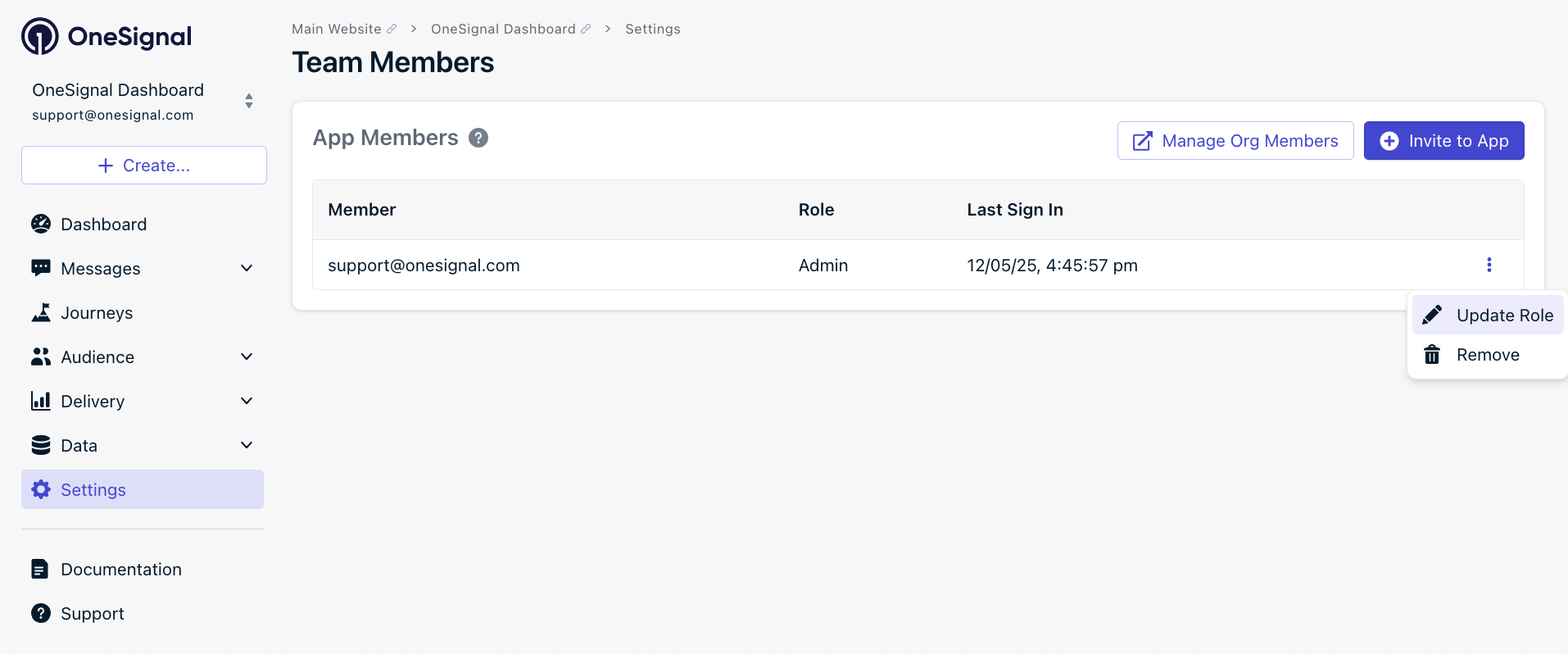
Updating an existing team member's role
Roles and permissions
Organization roles take priority over App roles. If a user is an Organization Admin, they automatically have all App Admin privileges across every App in the Organization. No additional App-level role assignment is needed. When a user has both an Organization role and an App role on the same App, their effective access is the more privileged of the two.Role types
OneSignal offers the following roles at the Organization level:
The following roles are available at the App level:
Editor scope: Editors control what to send and to whom. They can view audience data, build segments from it, and run the full messaging workflow, but they cannot modify the underlying user or subscription records (tags, imports, deletions, subscription status).
About the Team Member role
Theteam_member role is an Organization-level role that grants no App permissions on its own. Access is layered on explicitly through App-level role assignments, making it a clean least-privilege starting point.
team_member is automatically assigned in two situations:
- When a new user is invited to an App for the first time and has no existing Organization role
- When a user logs in through SSO for the first time and their identity provider has not yet been mapped to a specific OneSignal role
Permission details by role
Select a role below to see its full permissions.- Admin
- Finance
- Operations
- Editor
- Composer
- Viewer
- Team Member
Scope: Organization and AppFull control over everything. Organization Admins automatically have all App Admin privileges across every app in the org. Admin is the only role that can manage app and org settings, API keys, team members, integrations, billing, single sign-on (SSO), and two-factor authentication (2FA) enforcement.
Org Settings access is limited to users with the Organization Admin role. App-level-only Admins do not have permission to modify organization-level settings such as billing, plan upgrades, SSO, or org-wide 2FA.
Role availability by plan
Role availability differs between Organization-level and App-level roles. Team Member and Finance are Organization-only roles. All other roles have both an Organization and App equivalent. Admin and Team Member are always available on every plan. The remaining roles are unlocked by your plan’s entitlements: Viewer, then Editor and Composer, and finally Finance and Operations. If your plan is downgraded below the tier that a role requires, users holding that role are automatically converted to Admin on the affected App or Organization.Organization roles
App-level roles
Best practices
- Assign the minimum role needed. Don’t give full Admin access if Composer or Viewer is enough.
- Use Organization roles for users who need access across many Apps, like analysts or leadership.
- Use the Team Member role with App-level assignments for users who only need access to specific Apps.
- Layer Operations onto messaging roles when a user needs suppression or sender identity management in addition to building messages, since Operations is not a superset of Editor or Composer.
- Limit API key access to trusted technical users with Admin roles.
- Upgrade your plan to unlock additional roles beyond Admin and Team Member.
FAQ
What’s the difference between Organization and App roles?
An Organization role applies across every App in the Organization, while an App role applies only to the specific App where it’s assigned. Organization roles take priority: an Organization Admin automatically has App Admin access on every App, with no App-level assignment needed.Can an App-level role reduce a user’s access?
No. App-level roles can only add permissions on top of a user’s Organization role, never restrict or reduce them. For example, an Organization Viewer can be elevated to App Editor on a specific App, but an Organization Editor cannot be downgraded to App Viewer.Why can’t I assign a certain App role to a user?
The App role you’re assigning must grant access the user’s Organization role does not already have. If the Organization role already covers it, the assignment is redundant and is skipped. See Valid App-level role assignments for the full mapping.What’s the difference between the Editor, Composer, and Operations roles?
Editor runs the full messaging workflow (create, edit, send, and delete messages and content). Composer can create and edit that content but cannot send, activate, or delete it. Operations adds write access to suppressions and sender identities on top of view access, but cannot build or send messages. They are not a strict hierarchy, so you can layer them in either direction.Why was a user automatically assigned the Team Member role?
OneSignal assignsteam_member automatically when a user is invited to an App for the first time with no existing Organization role, or when a user logs in through SSO for the first time before their identity provider is mapped to a OneSignal role. It grants no App permissions until an App-level role is assigned.
Related pages
Apps, Organizations, and Accounts
Understand how Apps and Organizations relate and how access is structured.
Single sign-on (SSO)
Configure SSO and map your identity provider’s groups to OneSignal roles.
Audit logs
Review who changed what across your Organization and Apps.
Keys and IDs
Find and manage the API keys and IDs that Admins control.