Demander les permissions de localisation avec les messages intégrés
Guidez les utilisateurs pour activer le suivi de localisation dans votre application mobile en utilisant une pré-invitation douce dans OneSignal avant de déclencher la demande de permission de localisation native Android ou iOS.
Demandez facilement l’accès à la localisation aux utilisateurs en utilisant un message intégré OneSignal comme pré-invitation douce avant d’afficher la boîte de dialogue de permission de localisation native au niveau du système requise. Cela améliore les taux d’acceptation et vous donne plus de contrôle sur quand et comment demander. Alternativement, vous pouvez déclencher directement l’invite système en utilisant nos méthodes de localisation du SDK mobile.
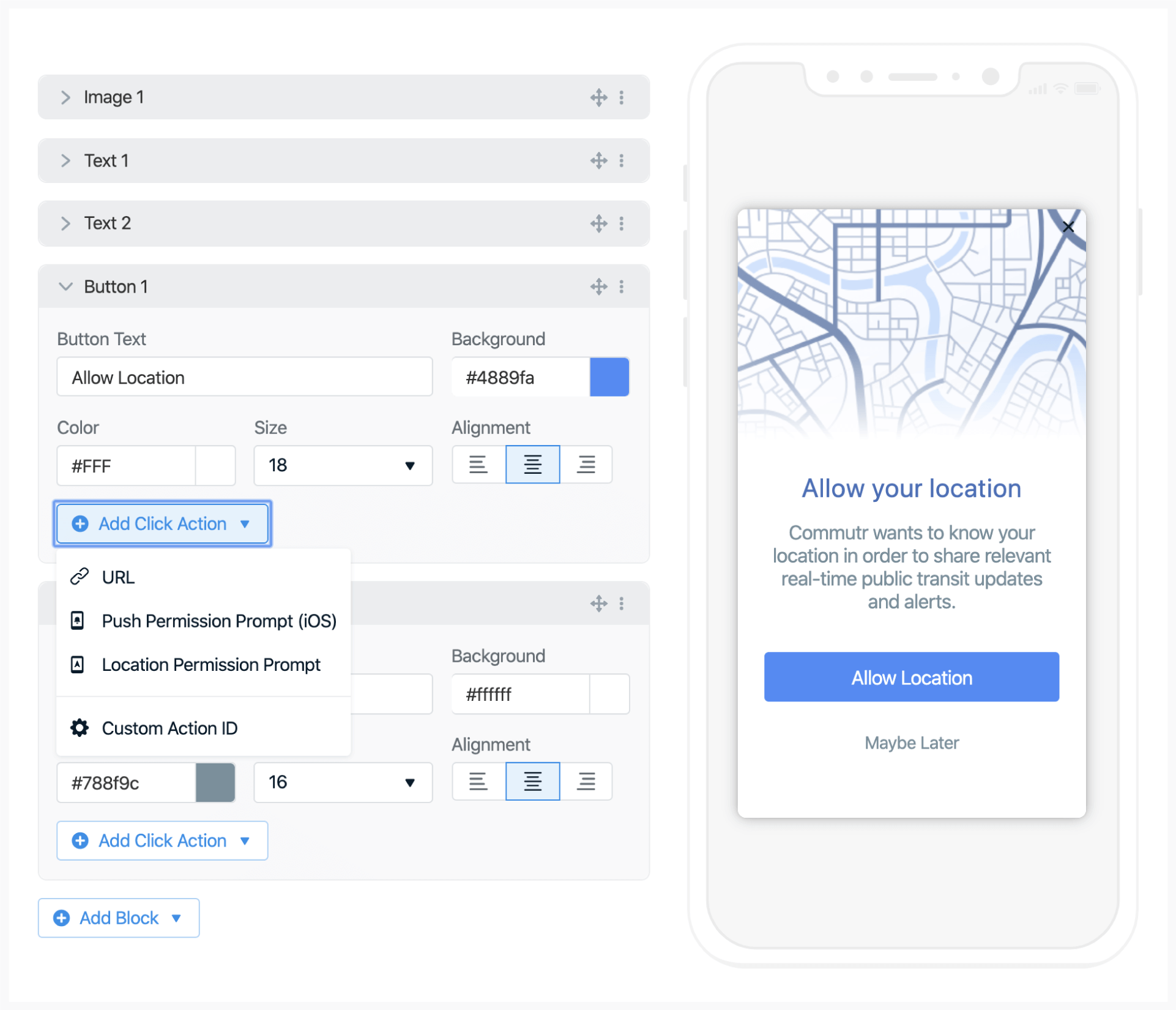
Add a button or image with a clear call to action (e.g., “Enable Location”).
2
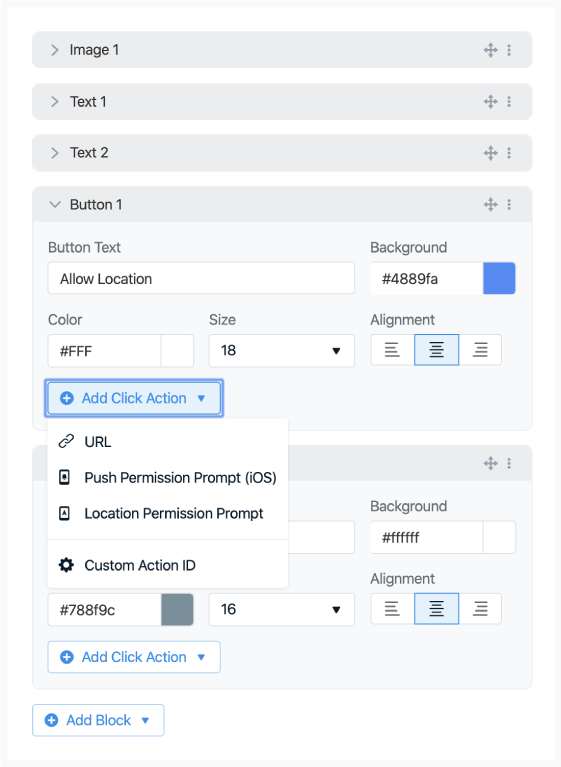
Add a click action
In the options:
Click Add Click Action
Select Location Permission Prompt
When clicked, OneSignal will trigger the native, required system-level location prompt.If location is already enabled, the message won’t show to avoid unnecessary prompts.
Both Android and iOS limit how frequently system-level prompts can appear. Using this soft pre-prompt helps avoid those limitations and allows for repeat attempts if needed.
Image showing in-app blocks and ability to add click actions
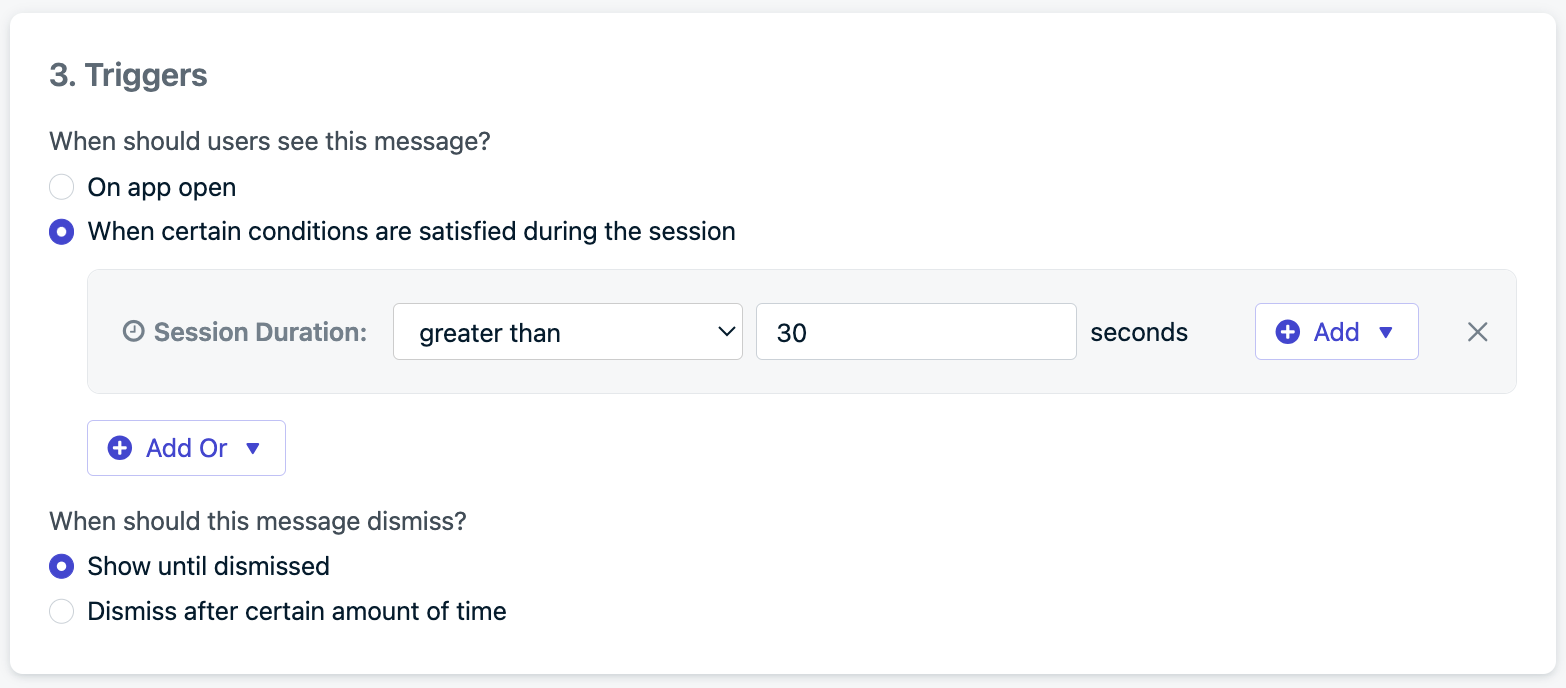
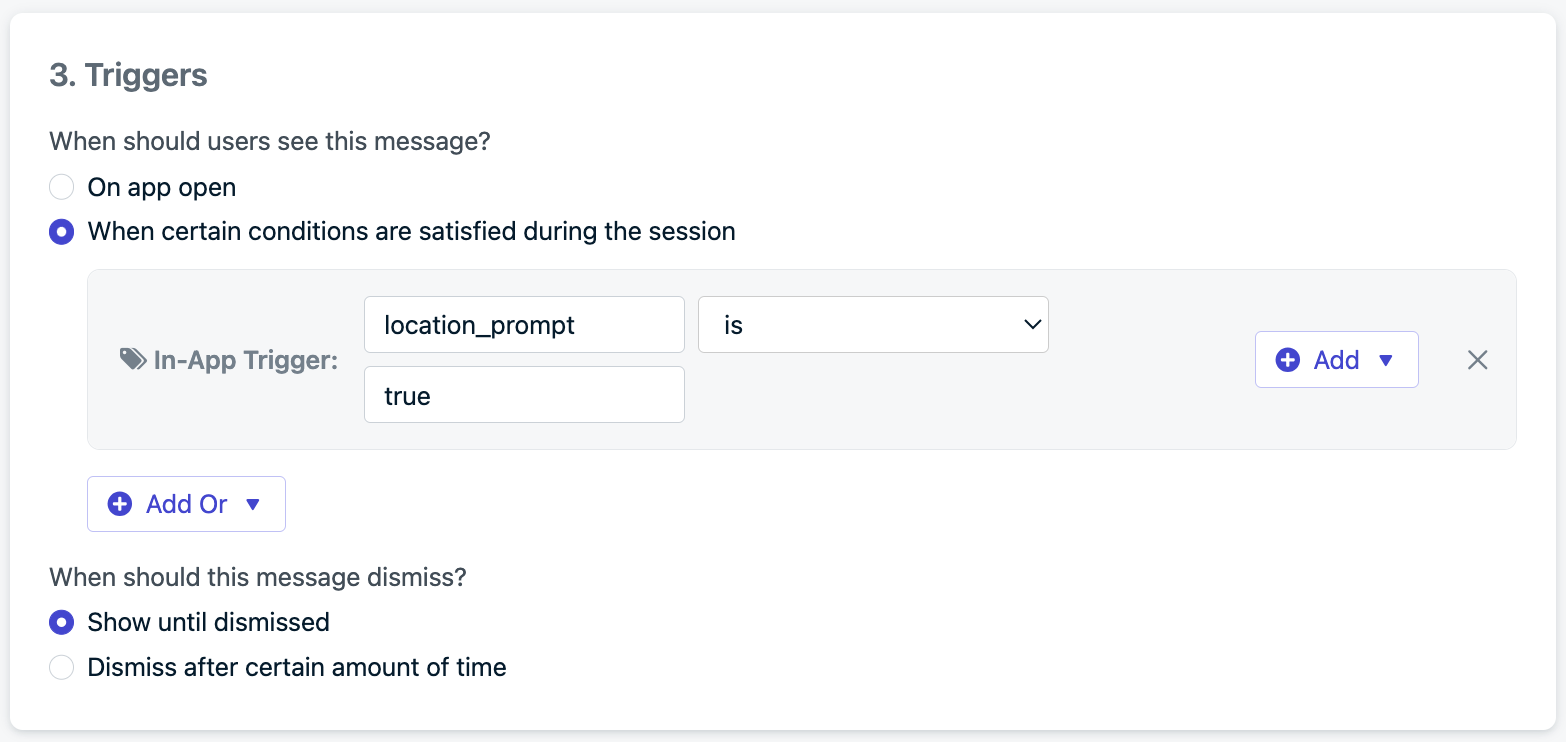
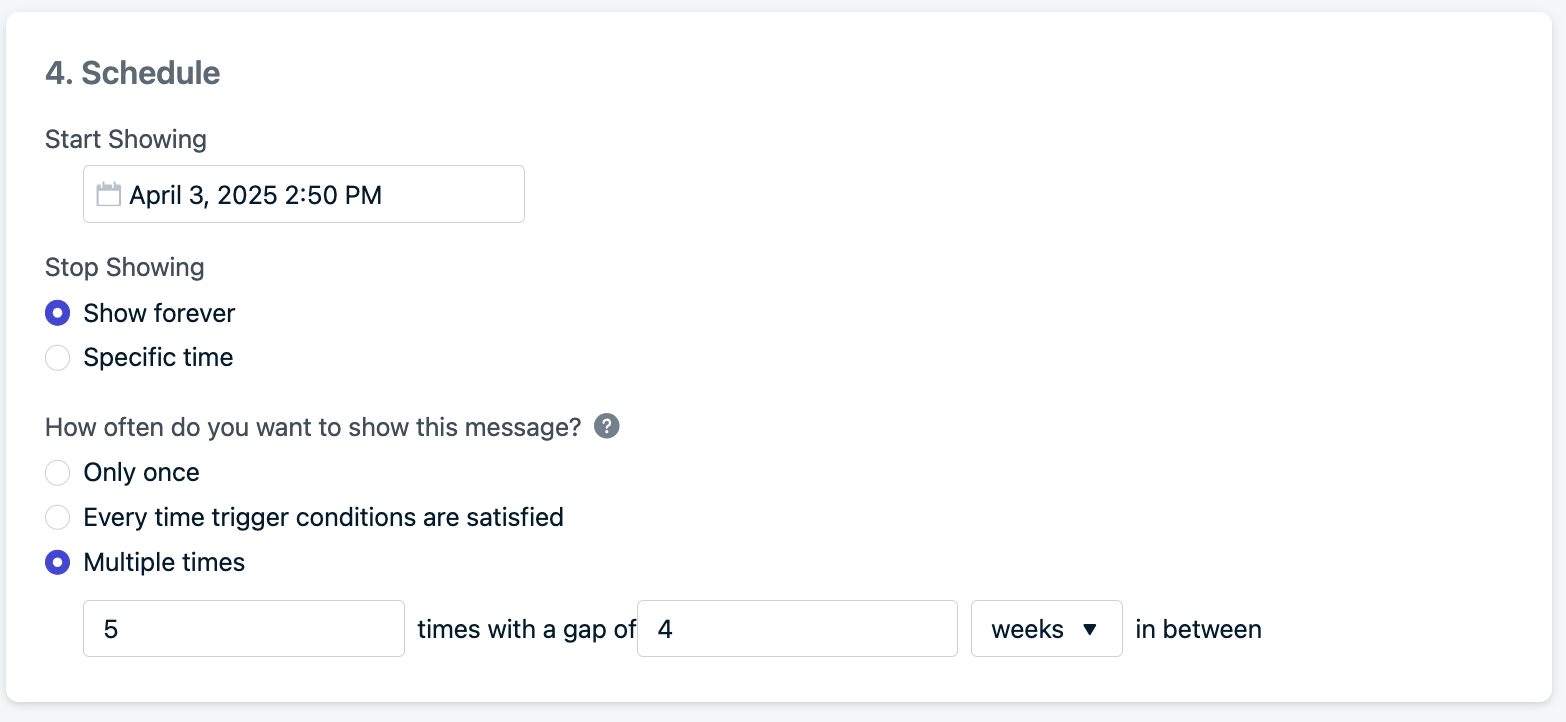
Example setting: show up to 5 times, with a 4-week gap between each attemptThis allows monthly reminders for up to 5 months, striking a balance between persistence and user experience.
Example scheduling configuration for repeat prompts.