

Before starting, make sure you have in-app messaging set up in your OneSignal app.
Design your survey
- Select the Full message type to enable the Carousel feature.
- Add 3 Text Blocks, 1 Image Block, and 2 Button Blocks.
- Select + Create Carousel to duplicate this card, then navigate back to Card 1.
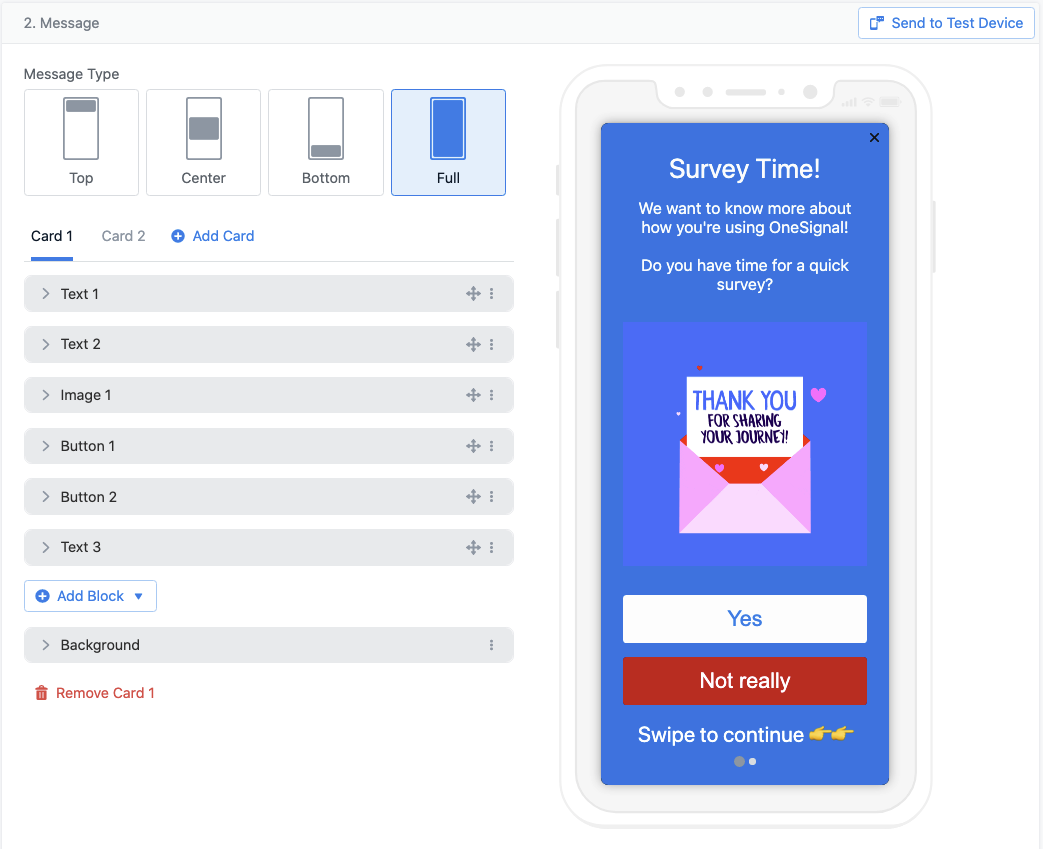
In-app editor with a preview of the survey layout
Set up click actions for the first question
The first question might ask whether the user has time to take the survey. Configure each button to send an Outcome so you can track how many users accept or decline.- Select a button block and click Add Click Action > Send Outcome.
- Adding an Outcome also sets a Tag, giving you both analytics and a segment filter for re-targeting.
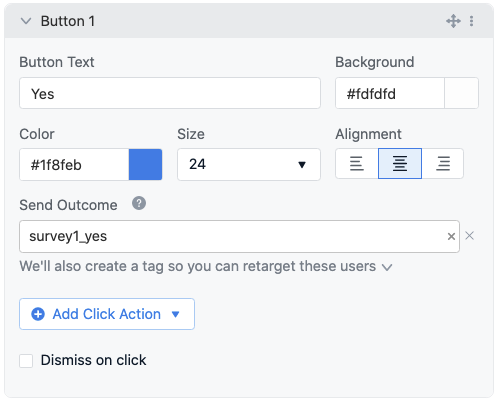
Yes button configured to send an Outcome without dismissing
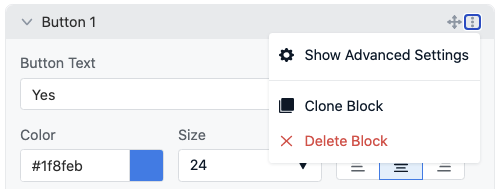
Clone a block to reuse its configuration
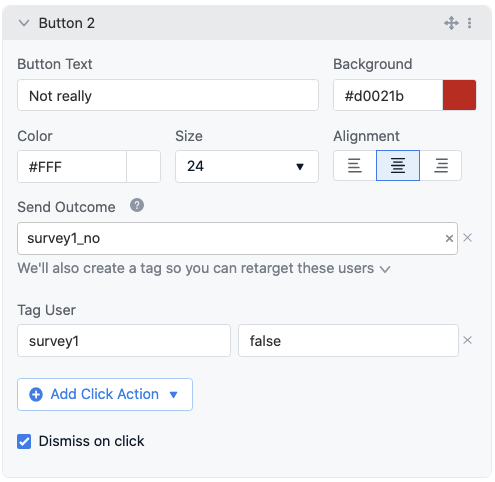
No button configured to send an Outcome and dismiss the message
Add more cards and questions
Click Card 2 or swipe the Carousel to the next page. All blocks are duplicated from Card 1. Update the text and image for the new question. Keep “Dismiss on click” unchecked on both buttons so the user can continue to the next card.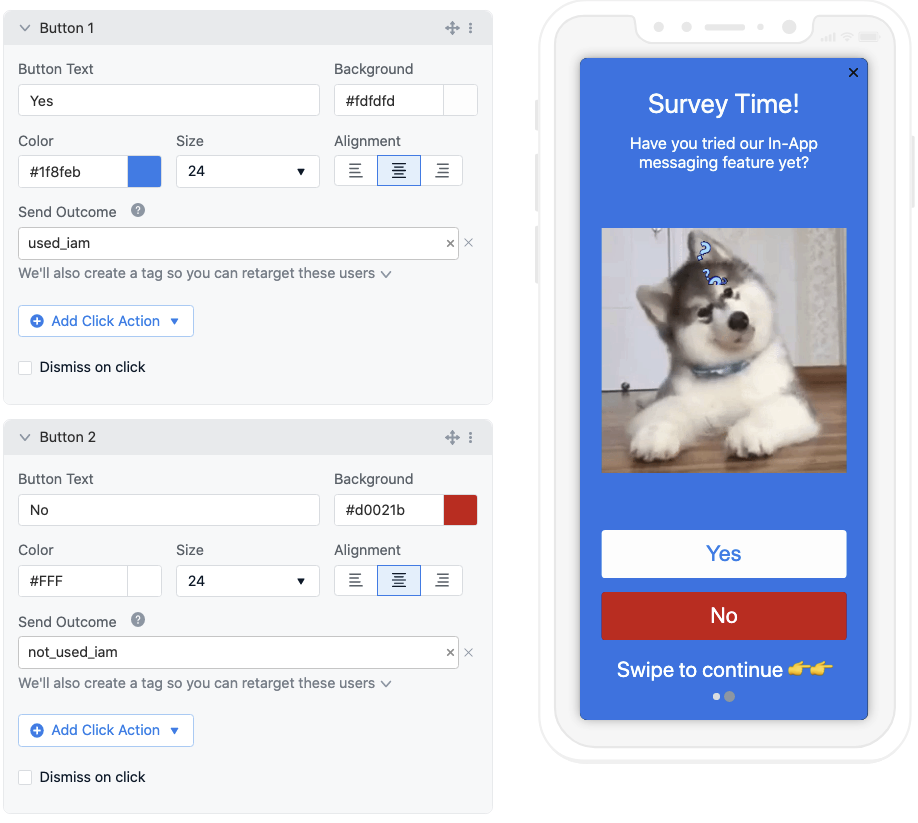
Card 2 with both button blocks configured for survey responses
Final survey question
For the last card, set up a multiple-choice question to give users more options. To make room for additional buttons, remove the Image Block and add 2 more Button Blocks. You can clone existing blocks to reuse their configuration.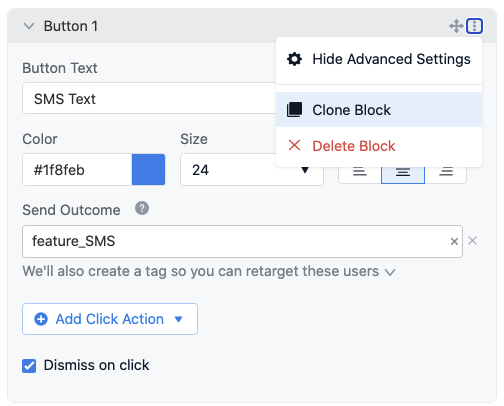
Cloning a button block to add more answer options
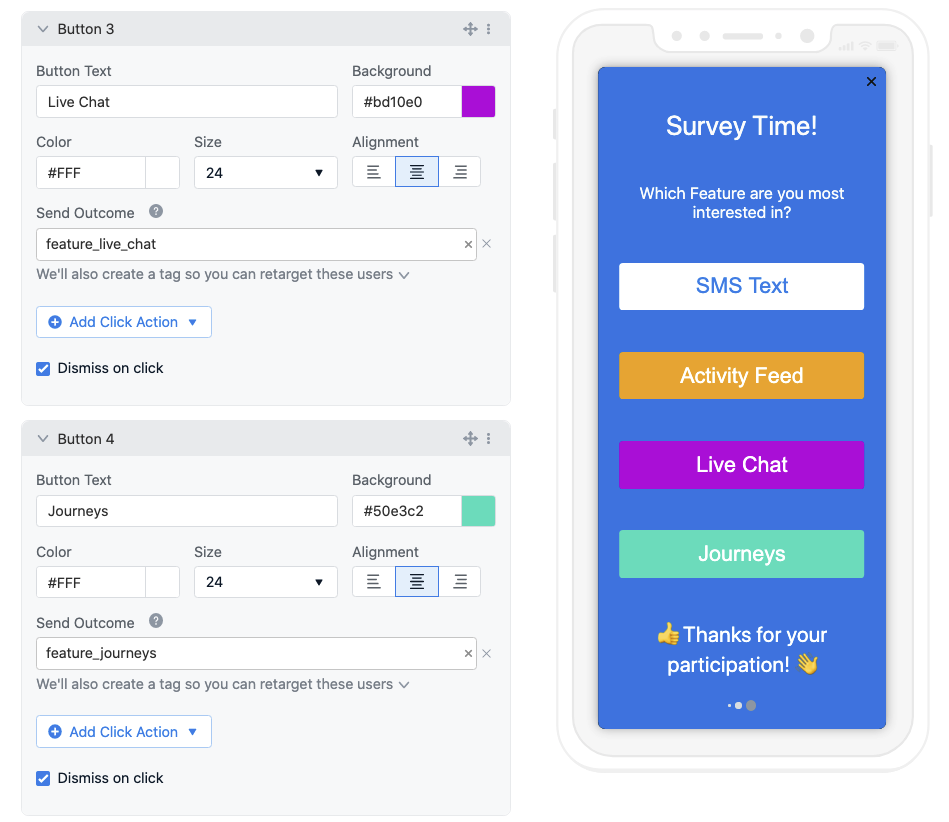
Final card with four answer buttons
FAQ
How many questions can I include in a survey?
Up to 10. Each Carousel card represents one question, and the Carousel supports a maximum of 10 cards.Can I use this for multiple-choice questions with more than two options?
Yes. Add additional Button Blocks to any card. Each button can have its own Outcome and Tag, so every answer option is tracked independently.How do I target users based on their survey responses?
Each button click action can set a Tag on the user. After the survey runs, create a segment that filters by those tag values to target respondents with follow-up messages.Related pages
In-app messages
Set up and configure in-app messaging in your app.
Data Tags
Store user properties for segmentation and personalization.
Design your in-app message
Full reference for the in-app message editor, blocks, and Carousel.