

Route a tapped push
Every push carries adata.type field. The app listens for taps, reads the type, and opens the matching screen.
app/_layout.tsx
Two of those types come from Journeys, which this guide does not cover.
reengagement is set on the pushes in a win-back Journey built in the dashboard. member_lapsed is a push to a household’s owners and admins, sent by the backend when that Journey reports that a member has stopped cleaning. They are routed here like any other push.
Action buttons: more than one thing to tap
A push can carry buttons. The task pushes offer Start cleaning and Snooze 1h, and the “housemate finished cleaning” push offers Send kudos. People reveal the buttons by expanding the notification, which is a long press on iOS.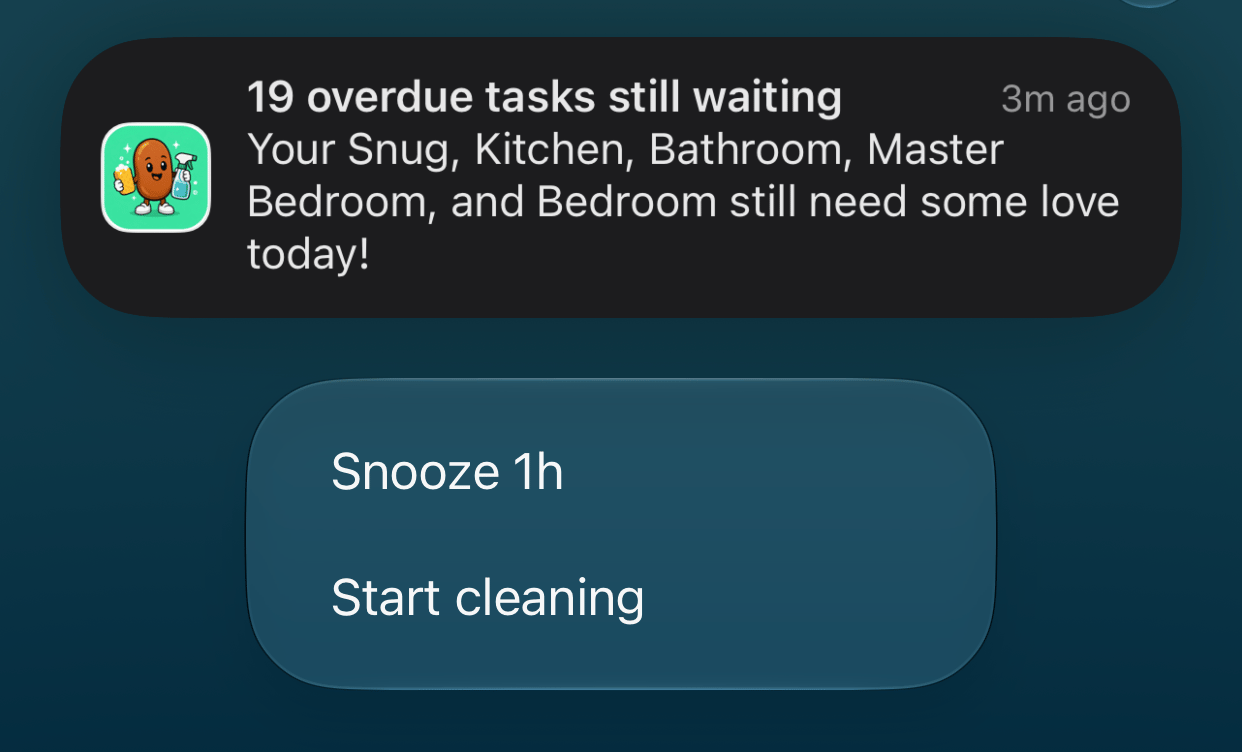
An expanded reminder with its two action buttons.
id and a label.
supabase/functions/_shared/buttons.ts
id as event.result.actionId. A tap on the notification itself has no actionId. The app checks for a button first and falls back to normal routing.
src/lib/pushActions.ts
send_after. OneSignal holds the message until then, so nothing has to keep running for an hour.
supabase/functions/snooze-reminder/index.ts
Every button tap is also recorded as a custom event,
push_action_clicked. A Journey cannot branch on a button directly, but it can wait for this event and branch on its action_id property.Tapping a button opens the app by default. Handling a tap without opening the app takes native code: a notification category on iOS and a notification service extension on Android.
Rewrite incoming links
Links from outside the app use short paths such as/clean. Expo Router’s native intent hook rewrites them to the app’s real routes before navigation happens, so nothing outside the app needs to know how the screens are organized.
app/+native-intent.tsx
Open the app from ordinary web links
A custom scheme such ascleaning-rota:// only works if the app is installed, and many apps refuse to make it tappable. Universal Links on iOS and App Links on Android solve this. They are normal https:// links that open the app when it is installed and the website when it is not. That makes them the right choice for links in emails, SMS, and shared messages.
Setting them up takes a declaration on each side: the app says which domain it belongs to, and the website says which app may open its links.
1
Declare the domain in the app
app.json
2
Publish the Apple association file
Host it at
/.well-known/apple-app-site-association, over HTTPS, served as JSON. The app ID is your Apple Team ID followed by the bundle identifier.website/.well-known/apple-app-site-association
3
Publish the Android association file
Host it at
/.well-known/assetlinks.json. The fingerprint comes from your app’s signing certificate. With EAS, run eas credentials -p android to find it.website/.well-known/assetlinks.json
4
Use the link
The household screen shares an invite link. Tapping it opens the join screen with the code already filled in.
app/household.tsx
app/join-household.tsx
Clean Beans only claims the paths the app can show. The home page is left alone, so the marketing site still opens in the browser. iOS reads the association file when the app is installed or updated, so publish the file before you release the build.
Deep linking
How OneSignal handles URLs on each platform.
Notification payload
Every field available in the click listener.
Action buttons
Platform limits, icons, and handling taps.