

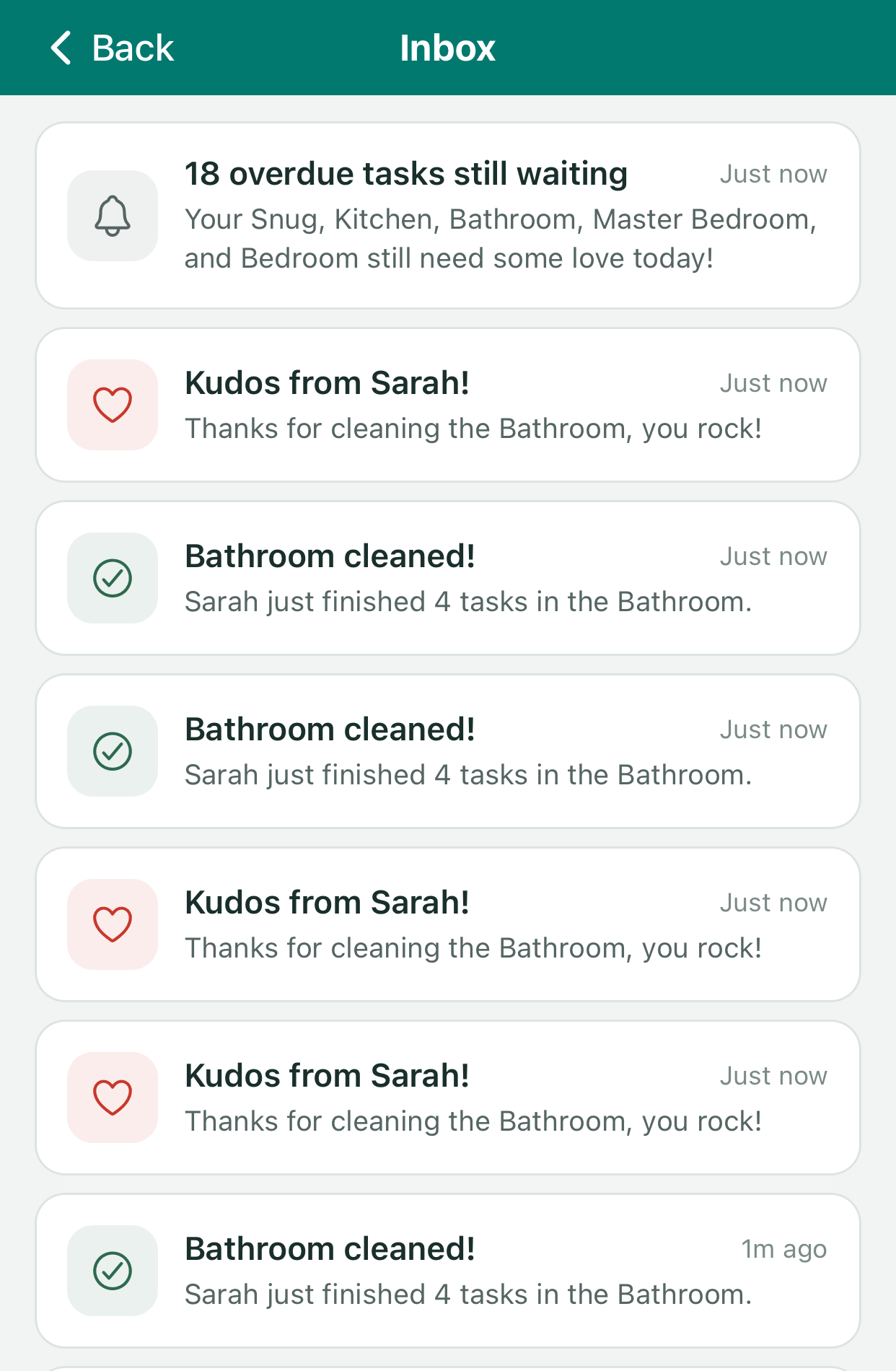
The inbox lists recent notifications.
1
OneSignal sends an event for every push
An Event Stream posts to a backend function when a push is sent and again when it is clicked.
2
The function stores or updates a row
A sent event creates an inbox entry. A click event marks it as read.
3
The app reads the table
The inbox screen and the header badge query the user’s own rows.
Configure the Event Stream
Dashboard setup. In Data > Event Streams, create a stream with:- URL: your function’s address.
- Header: a shared secret, for example
X-Webhook-Secret. - Events:
message.push.sentandmessage.push.clicked. - Body: a Liquid template that shapes the request.
Event Stream body
This stream sends one event for every push delivered to every device, and each event counts toward your plan’s message event volume. Select only the events you use.
Receive the events
The function checks the secret before doing anything else.supabase/functions/inbox-webhook/index.ts
supabase/functions/inbox-webhook/index.ts
supabase/functions/inbox-webhook/index.ts
data.type field that routes a tapped push is stored with each row, so the inbox can show the right icon and open the right screen.
Render Liquid before you store it
The stream reports a message as it was written, before OneSignal personalizes it for each recipient. A push sent by the backend already has its final text. A Journey push does not. One of Clean Beans’ Journey messages has this title:Journey push
default filter. It gets the values from two places:
- Tags are read from the database. The app sets every tag from a value it stores, so the function reads the same values. Passing
{{ user.tags.user_name }}in the stream body would also work, but a name containing a double quote would make that body invalid JSON. - Journey event properties are not available to the stream. The function rebuilds them from the cleaning session that fired the custom event.
supabase/functions/inbox-webhook/index.ts
Show the inbox
Row-level security means each user can only read their own rows, so the app’s queries need no filter by user.app/inbox.tsx
src/components/InboxButton.tsx
Keep email preferences in step
The same stream solves a second problem. When someone taps Unsubscribe in an email, OneSignal stops emailing them, but the app’s own “Weekly Email Summary” switch would still be on. The settings screen would be wrong, and the backend would keep trying to send. Adding four email events to the stream fixes that. The function treats them all the same way: OneSignal will not email this person again, so the app’s preference is switched off to match.supabase/functions/inbox-webhook/index.ts
event_kind, event_id, external_id) are enough.
This keeps the app in step with OneSignal, not the other way round. If someone switches the email back on in the app, their OneSignal subscription is still unsubscribed. Re-subscribing them takes a call from your backend to OneSignal’s subscription API.
Event Streams
Set up a stream and choose events.
Event Stream data
Every field available in the body template.